Page Content 
- What tasks does the module solve?
- Connecting the module
- Managing counterparties and contracts
- Managing contractors and contracts in clinics outside the Russian Federation
- Working with a counterparty in reception
What tasks does the module solve?
Keep records of contractors who refer patients to appointments. Add information about the contract and track the services paid for by organizations in the schedule and reports.
- Helps to keep proper records of service payers
- Automates filling out reports on completed services
- Reduces the number of errors when making an appointment
Connecting the module
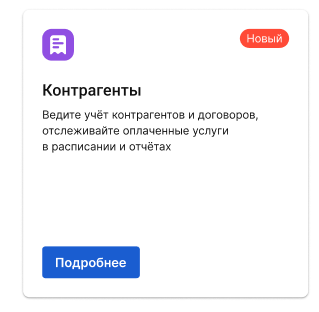
Connect the module «Контрагенты»on the page«Модули», in the section «Стандартные».
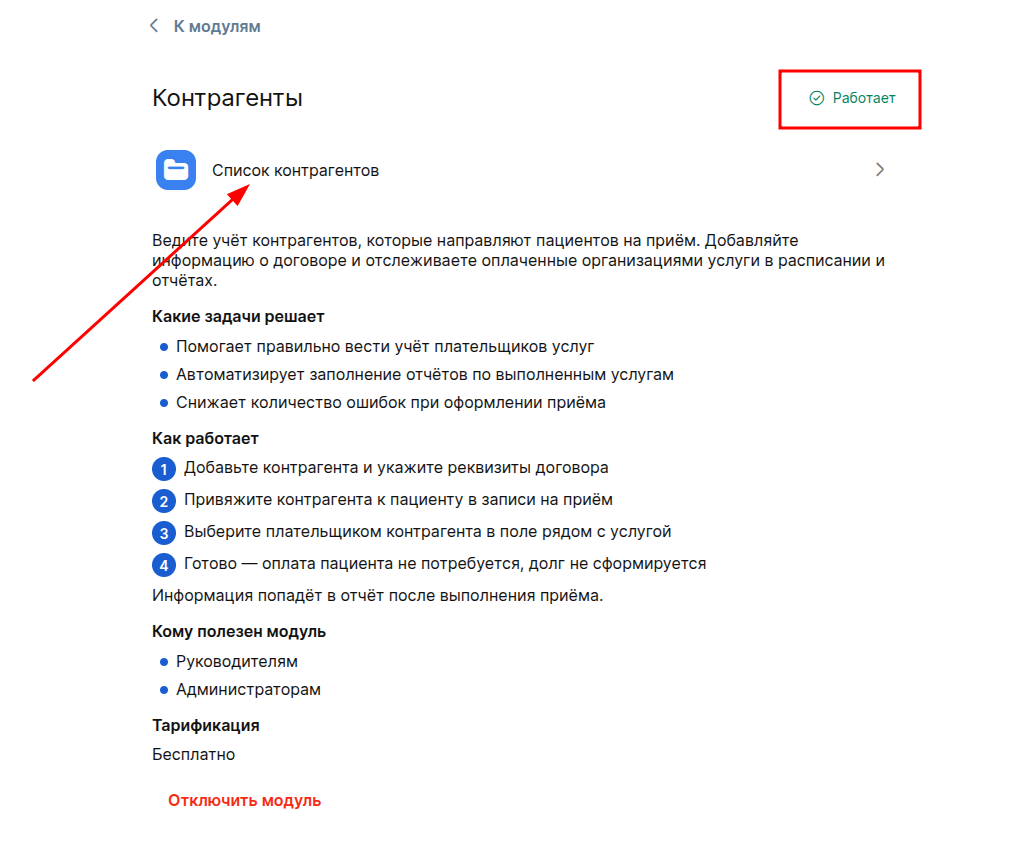
After activation, you will have the opportunity to manage the list of counterparties.
Managing counterparties and contracts
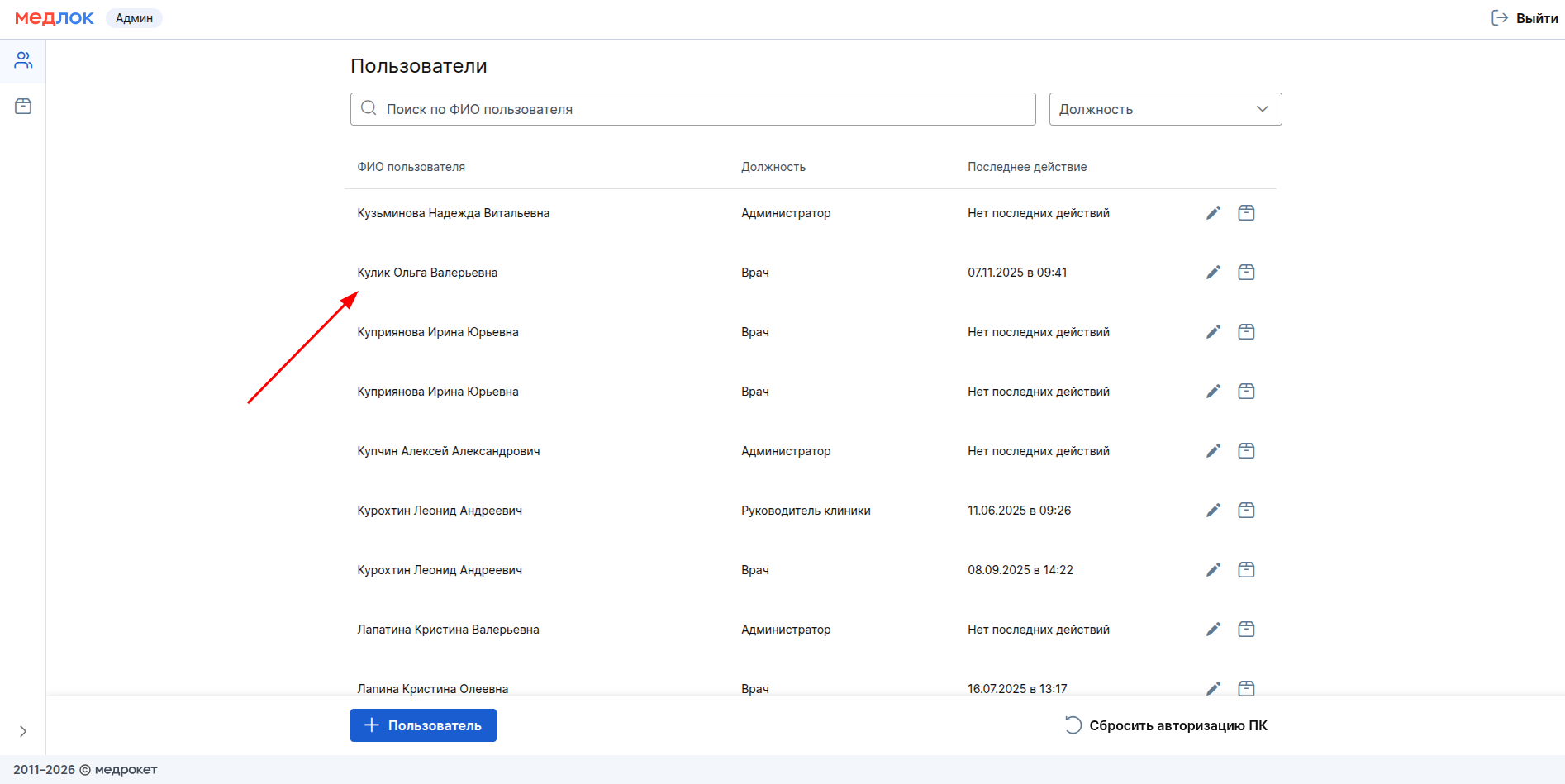
To add a counterparty to the Medlock, you must grant yourself or a responsible employee the right to edit counterparties. To do this, log in under the system administrator (sys-) at the 3rd step of logging in to the Medlock, select the desired user from the list of employees and click on it.
Then click on the button«Настроить права доступа».

Select from the list «Контрагенты»and check the boxes to edit the section.
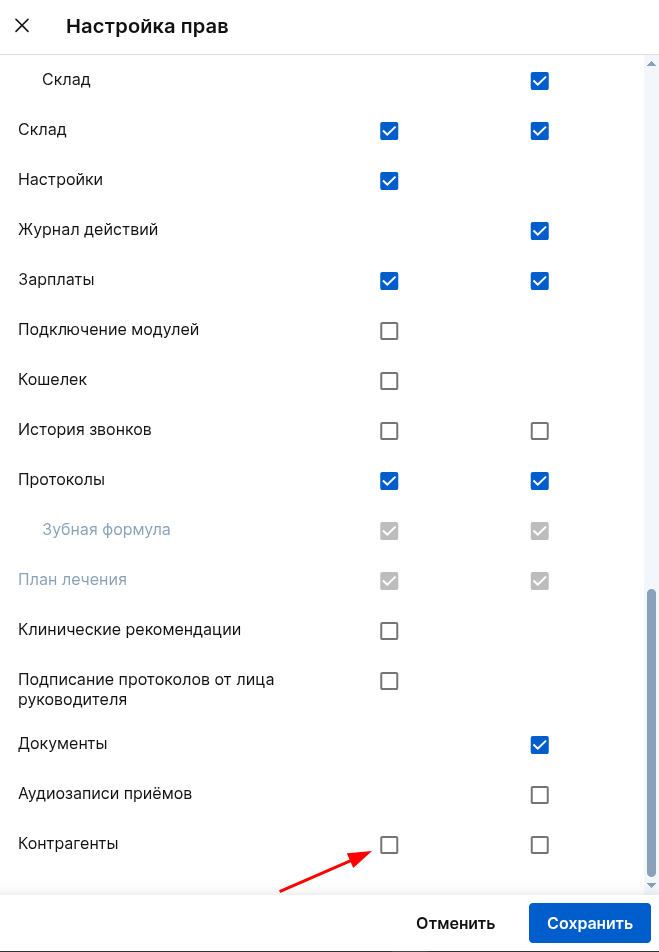
If you leave a read-only check mark, the employee will only be able to view the list of counterparties without the possibility of adding and editing them. Without reading rights, the employee will not see the counterparties section and will only be able to work with them in an appointment: link the counterparty to the patient and specify him as the payer of services.
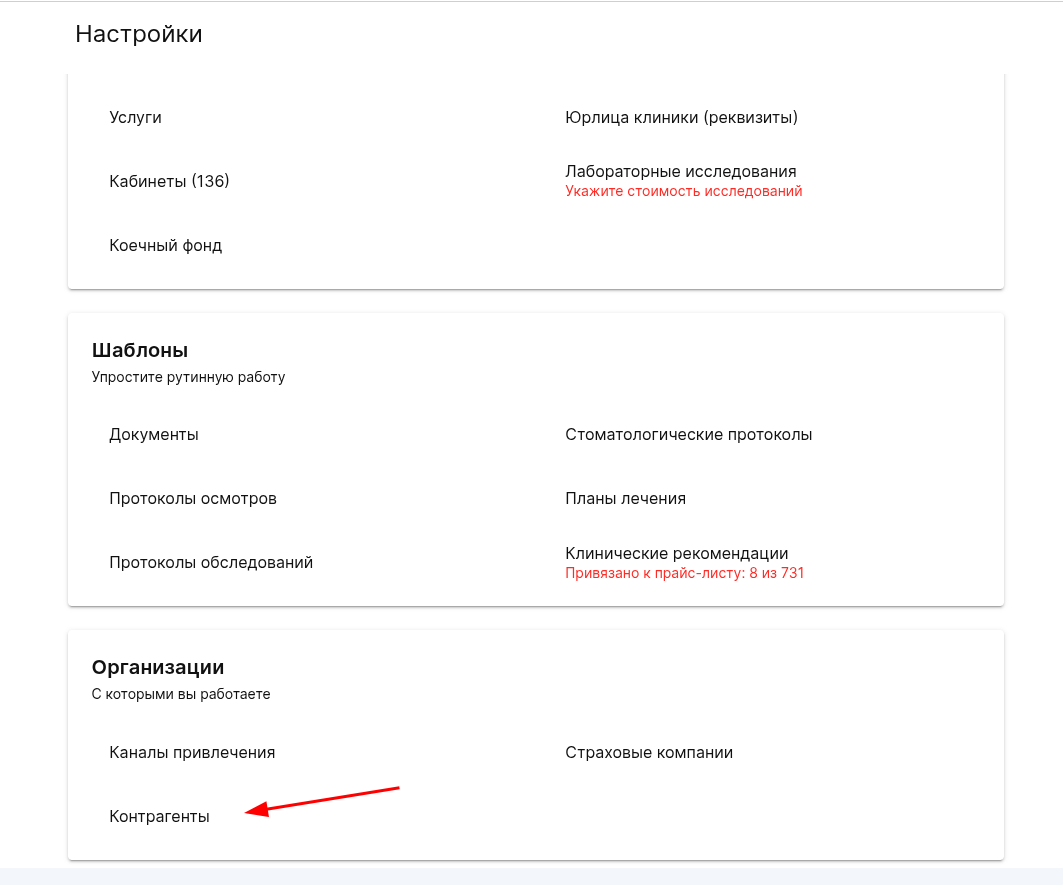
To add a counterparty, go «Настройки»to , «Организации», select «Контрагенты».
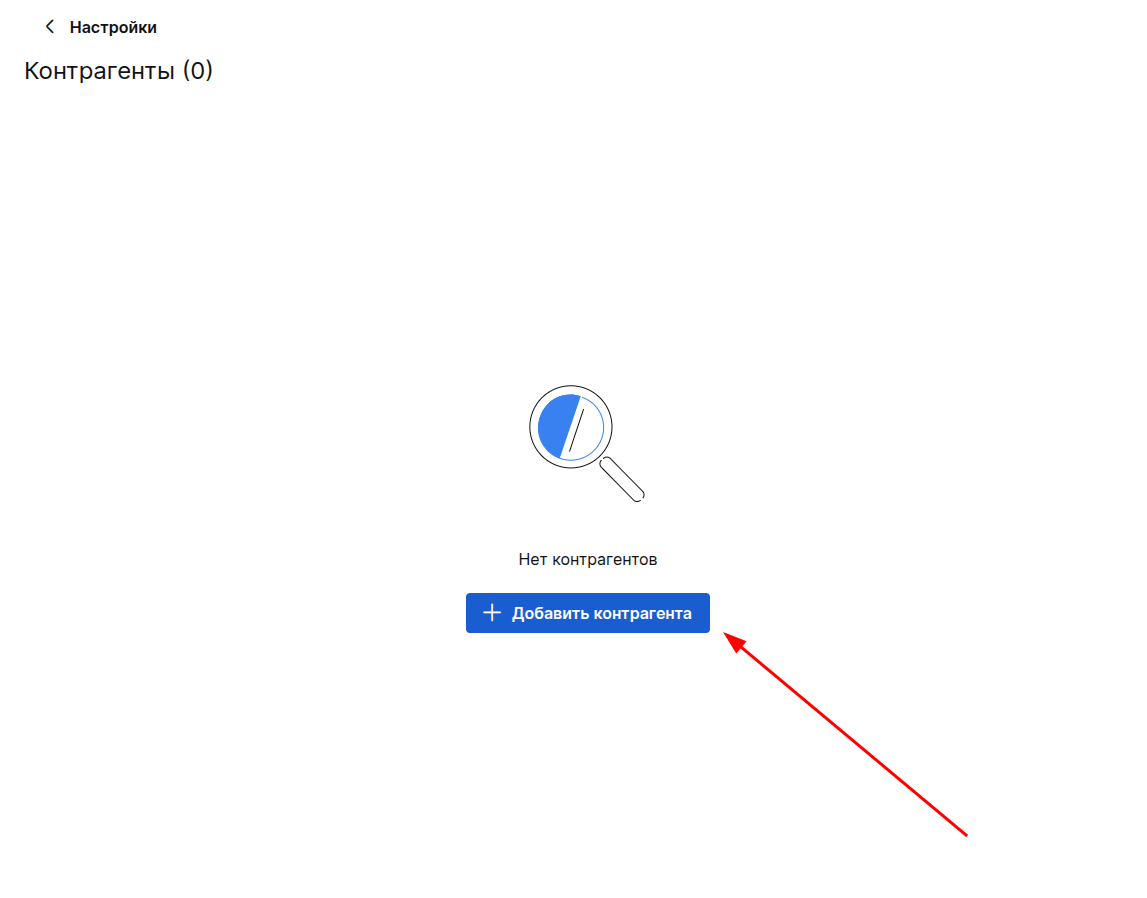
On the page, click «Добавить контрагента»or «+ Контрагент»if there are already counterparties.
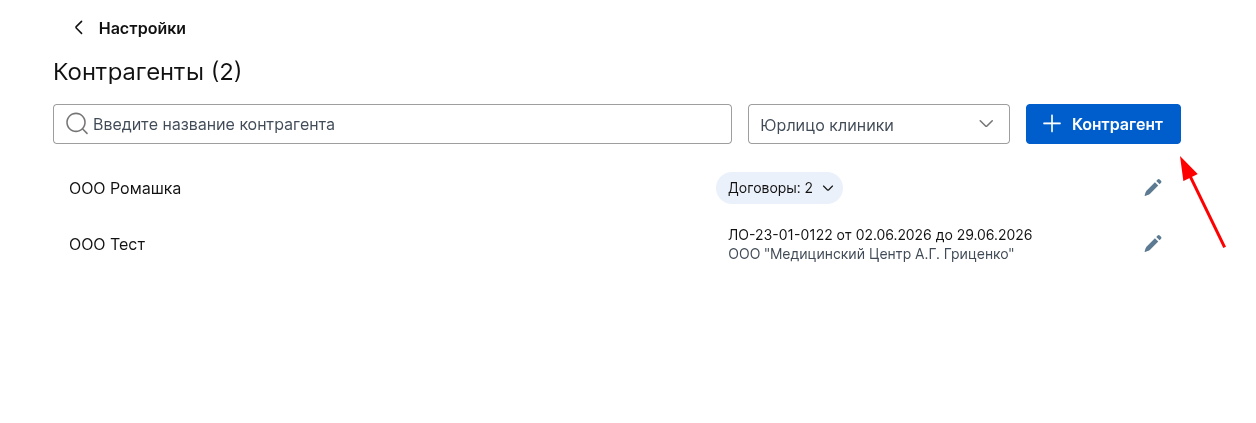
Enter all the necessary information about the counterparty in the window that appears.
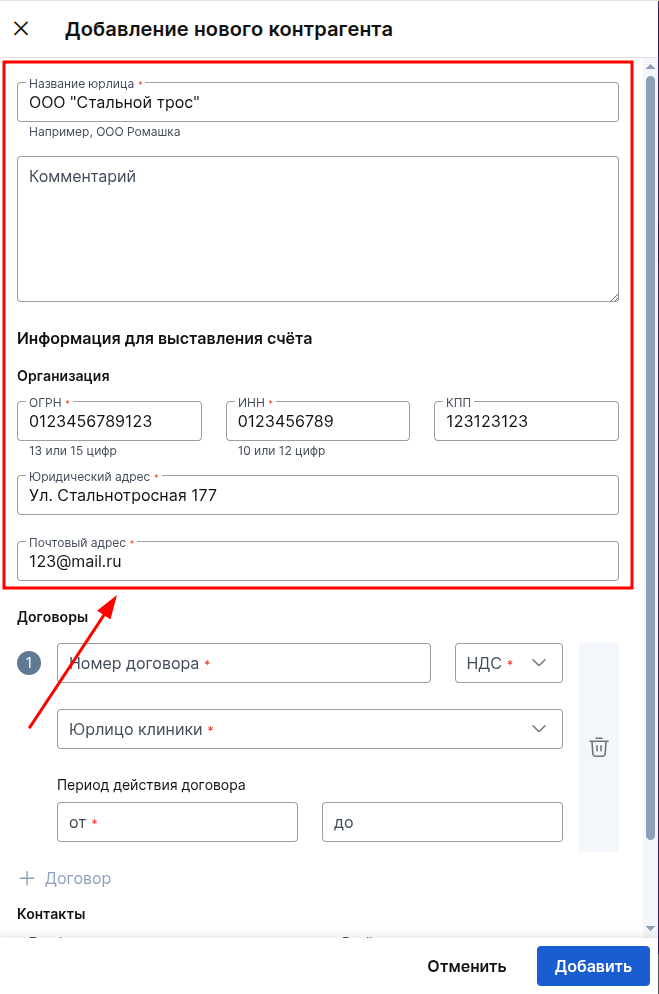
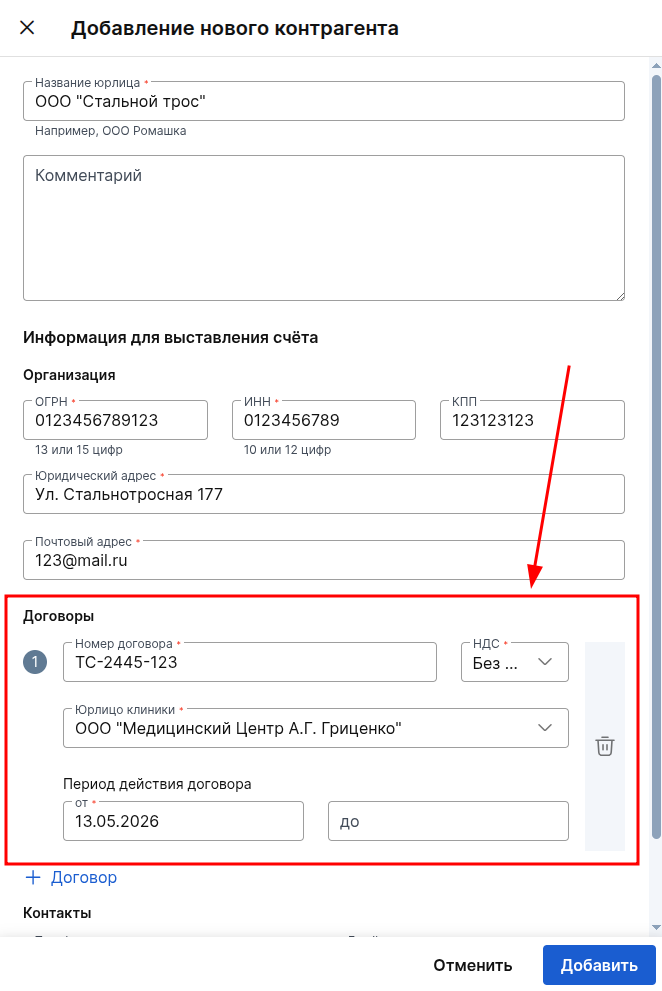
Add information about the contract under which the work is carried out between the clinic's legal entity and the counterparty, and click «Добавить».
Important! One clinic's legal entity can have only one contract with a counterparty
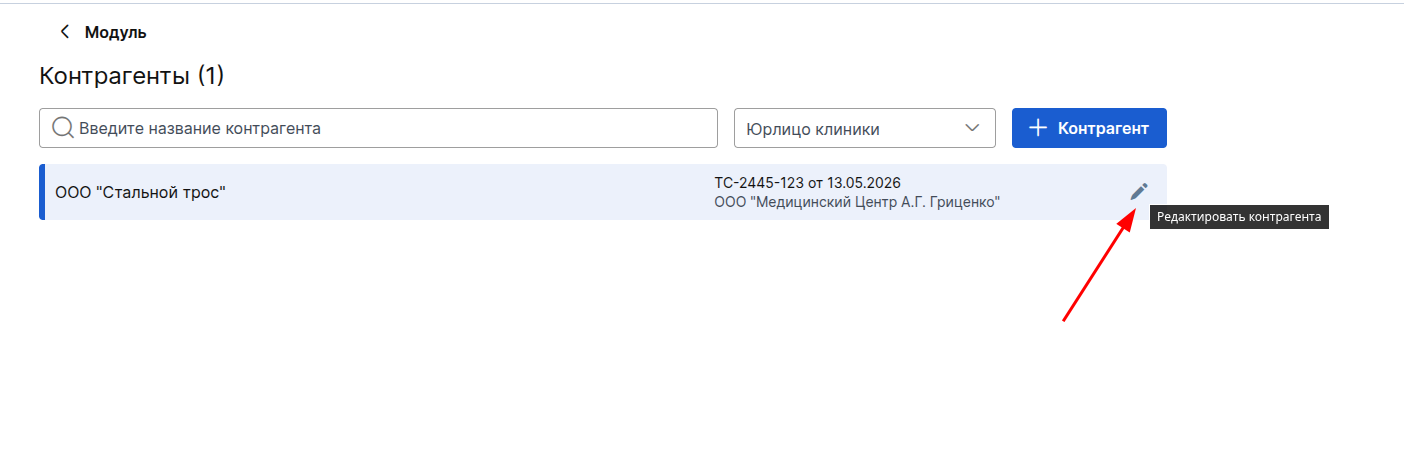
You can also always edit, update the contract data, or delete an already created counterparty by clicking on a pencil.
Managing contractors and contracts in clinics outside the Russian Federation
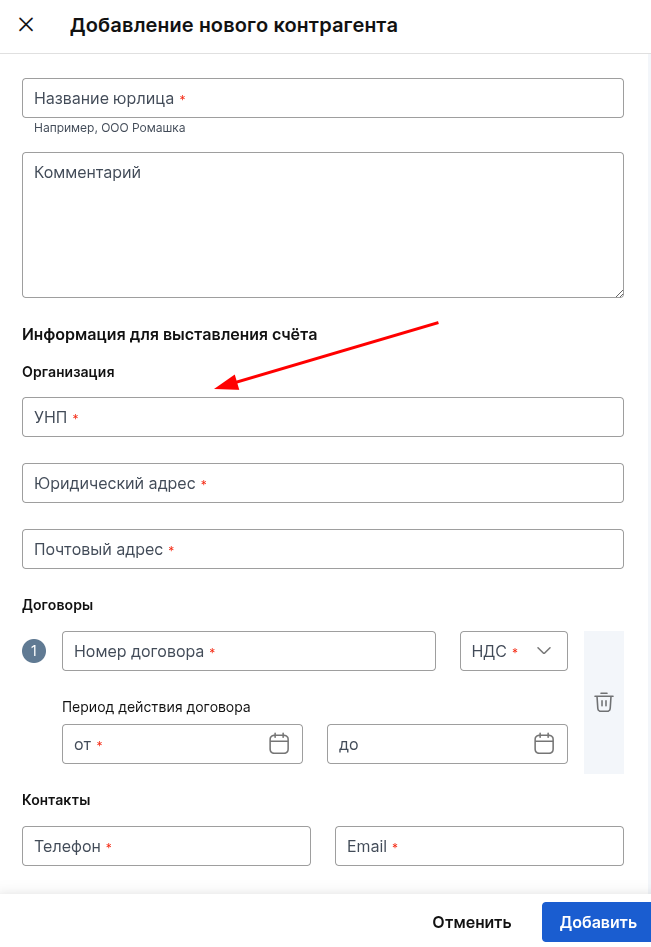
Adding and editing counterparties for clinics outside the Russian Federation is performed in the same way as in the Russian Federation. Only the set of fields for specifying the counterparty's details differs, namely:
- In the Republic of Belarus, a field is available for specifying the UNP. You can enter up to 9 characters into it.
- In Kazakhstan, there is a field «БИН»where you can enter up to 12 characters.
- A field is available for clinics in Kyrgyzstan «ИНН». You can enter up to 14 characters into it.
- A field is displayed in Tajikistan«ИНН». You can specify up to 9 characters in it.
- In Uzbekistan, a field is available «STIR»in which up to 9 characters can be entered.
All other fields in the counterparty's add and edit windows are similar to those available to clinics in the Russian Federation.
Working with a counterparty in reception
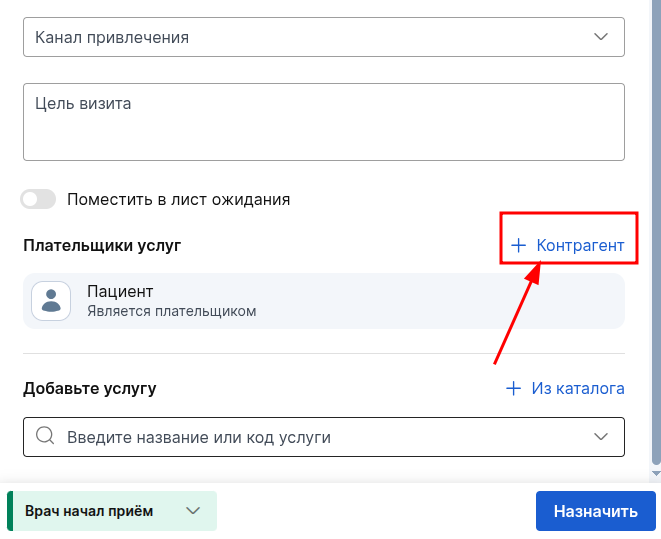
Select the desired counterparty in the acceptance section «Плательщики услуг»by clicking the button«+ Контрагент».
The button will only be displayed if the module «Контрагенты»is enabled and at least one counterparty with an active contract has been added.
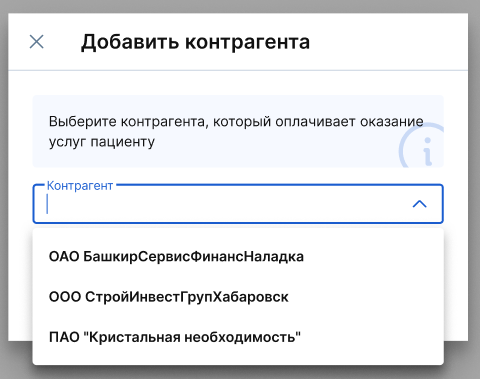
Counterparty options will be shown only for the selected legal entity in the reception. Select the desired counterparty and click «Добавить».
An additional field will appear in the section «Плательщики услуг»with the counterparty and the contract. The payer will be automatically exposed to the services if they have been selected.
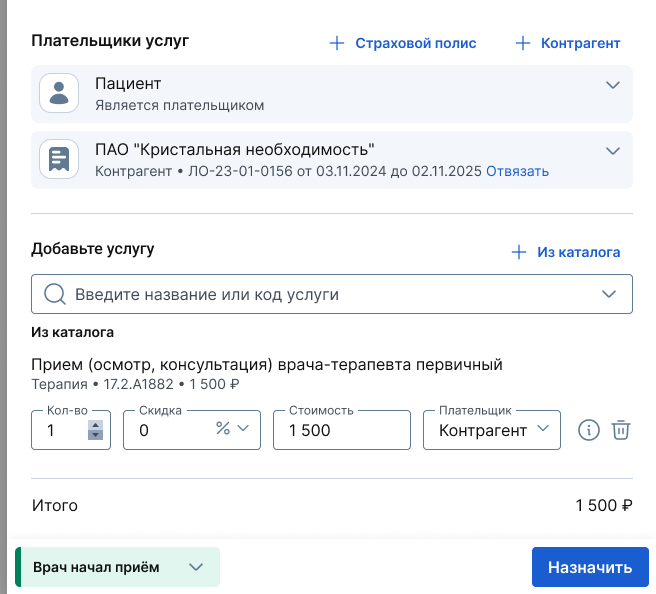
If there are several services in the reception, then you can choose who will be the payer, the possibility of paying for the service will depend on this.
If the reception only includes services that are paid for by the counterparty, then such services will not need to be paid for, the button will be unavailable.
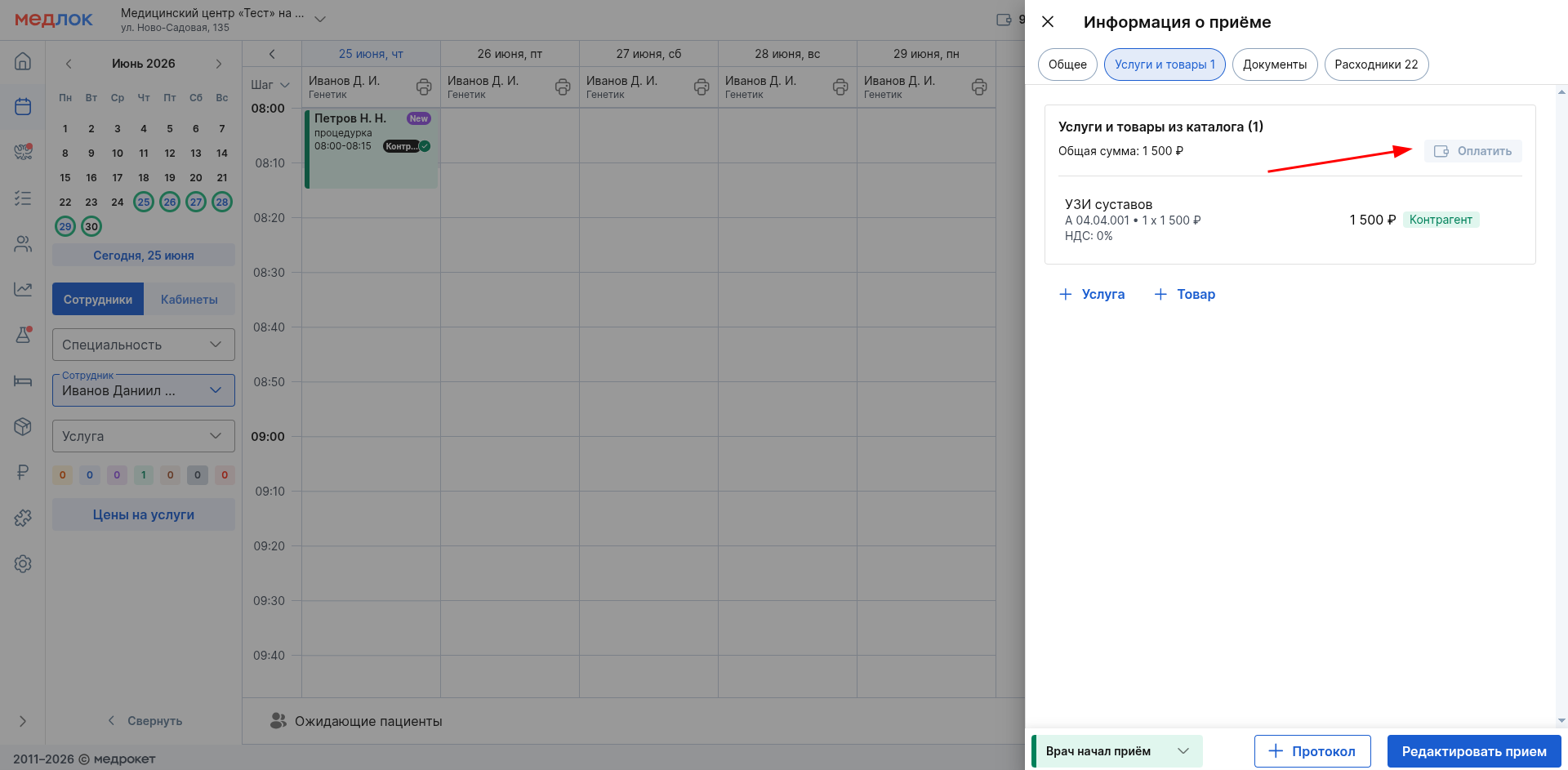
Services where the payer is a counterparty are marked with the appropriate label in «Услуги»the («Услуги и товары») section.
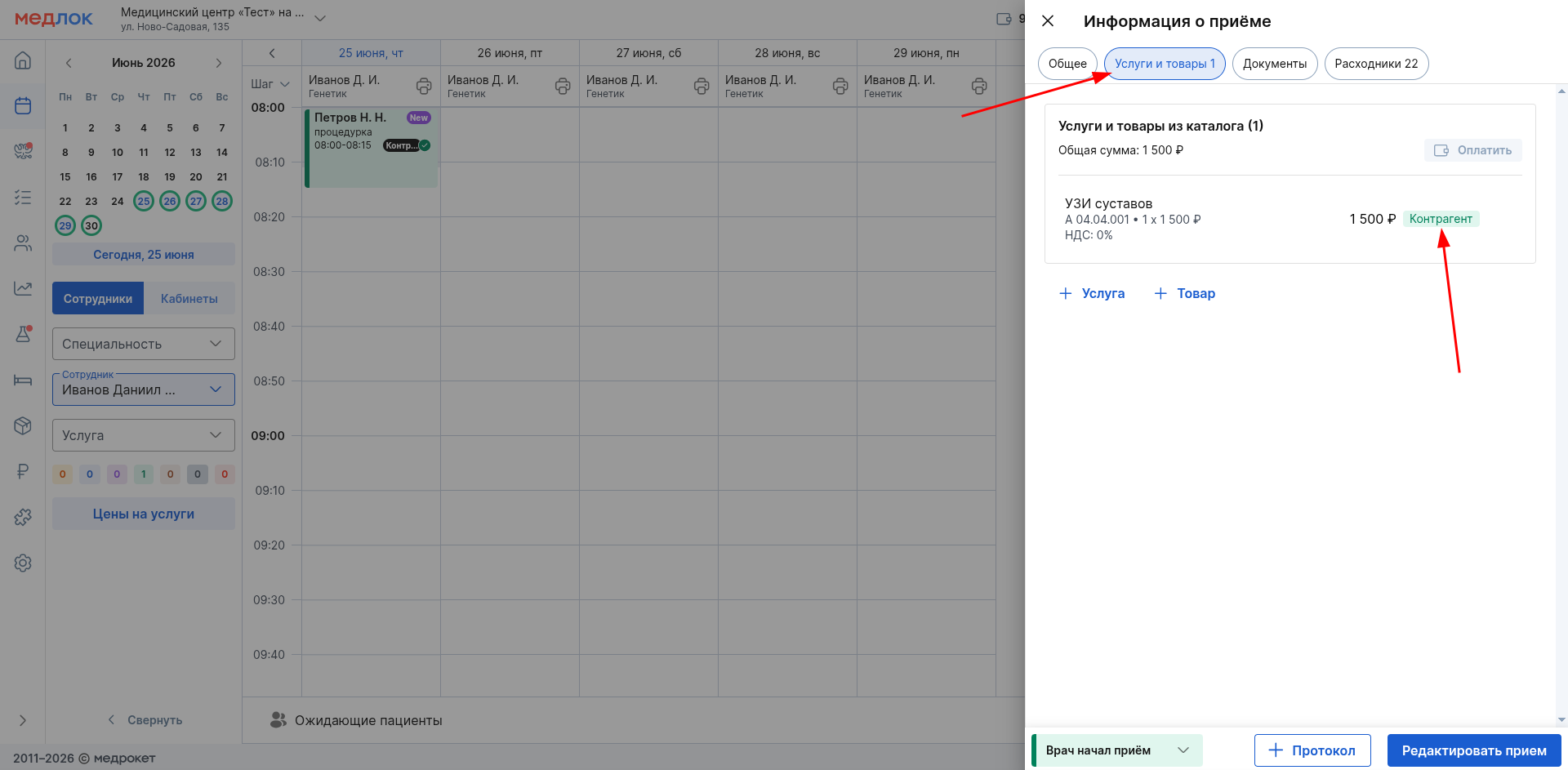
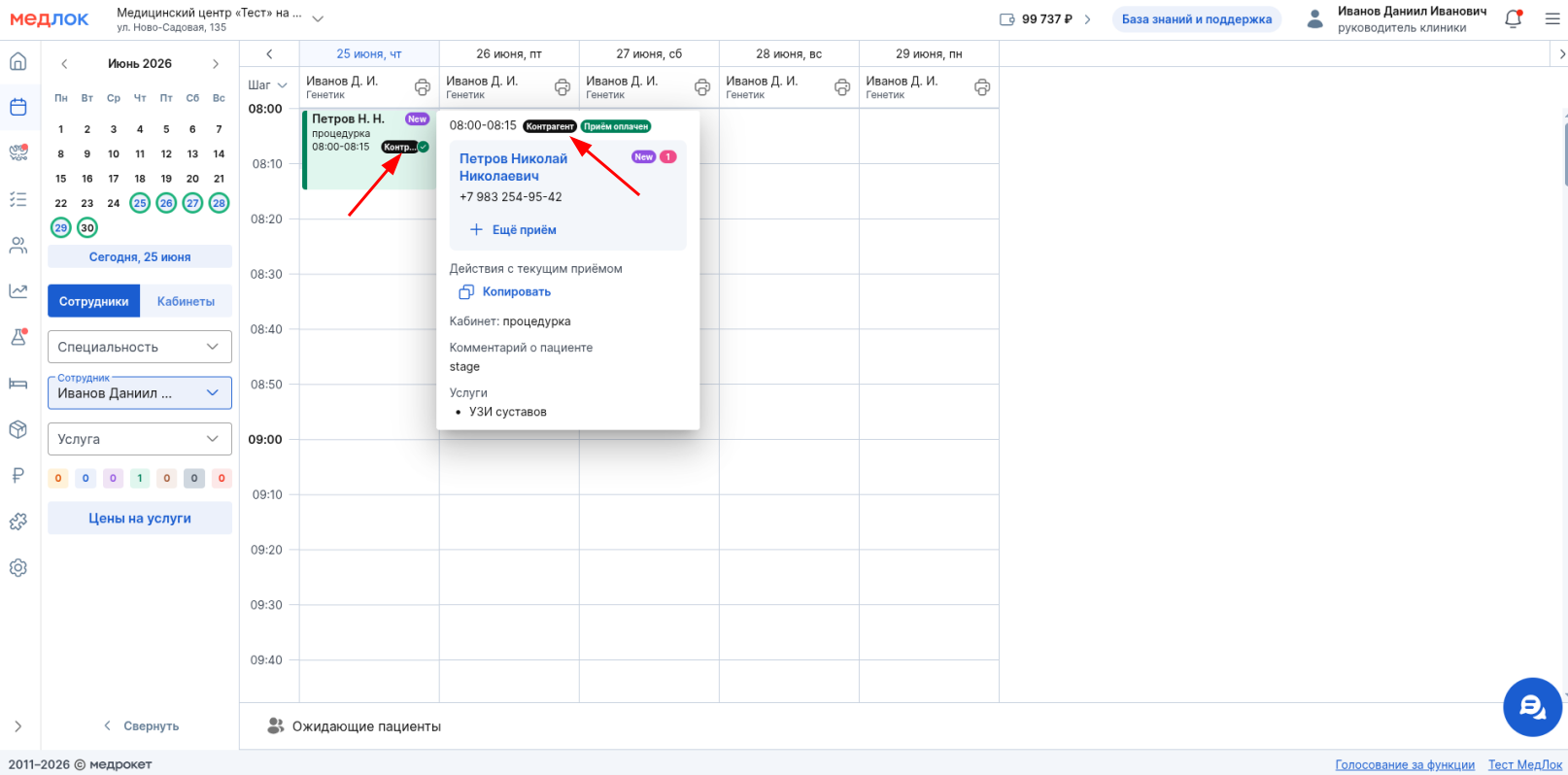
«Контрагент»The label also marks an entry in the schedule to which at least one service paid for by the counterparty has been added.
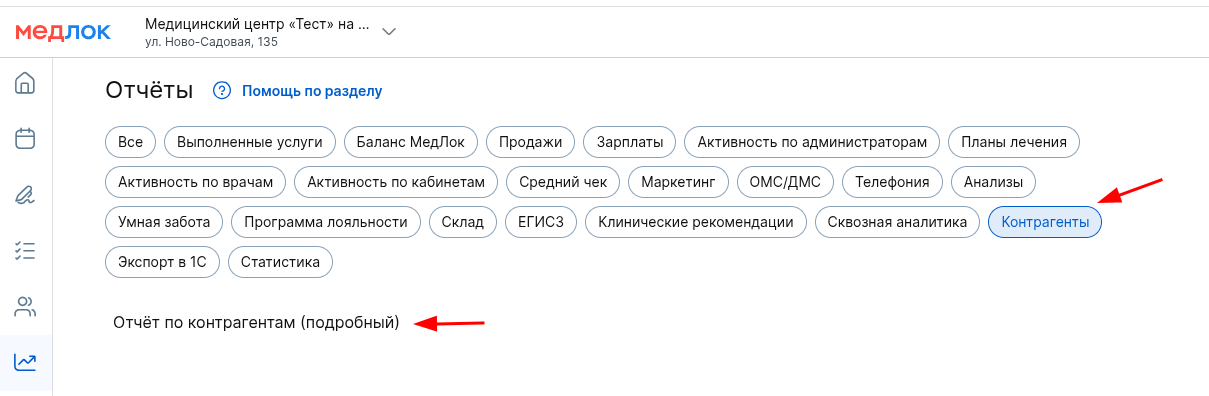
You can view the services paid for by the counterparty in the report «Отчёт по контрагентам (подробный)»in the group«Контрагенты». Services are included in it only after the reception status is set«Выполнен».
The reports in this group will be updated in the future.