To configure the module«Телефония», you will need data from your personal account of the virtual PBX.
In this article, we will show you how to find the necessary data in your personal account, which integrates the Telephony module into the Medlock.
Mango 
- Log in to Mango's personal account https://lk.mango-office.ru /.
- Open «Общие настройки»the → tab«Настройка SIP».
- Click on the user's address.
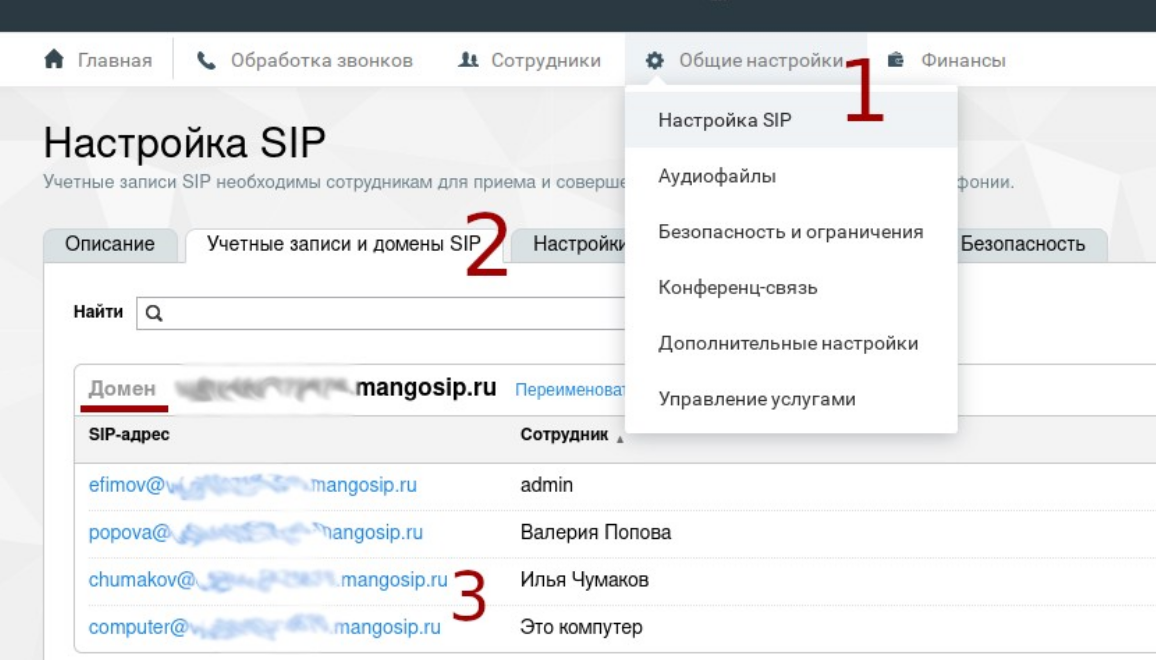
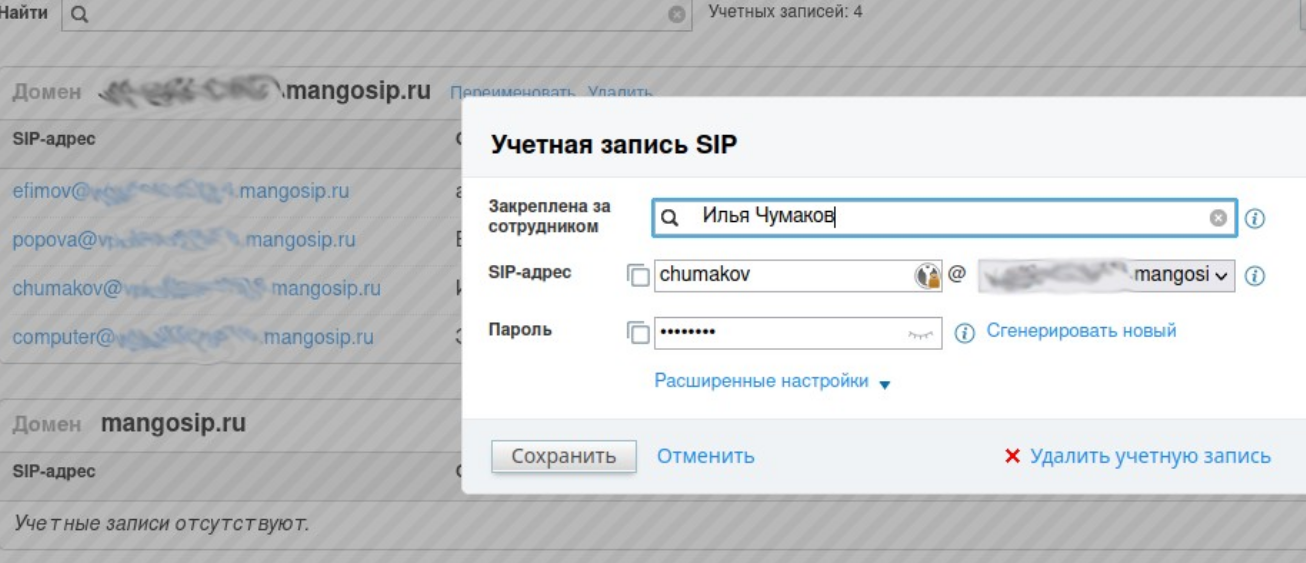
4. Copy the SIP address and password.
In the example: «chumakov»+ address on the right ending «mangosip.ru».
Telfin
- Log in to your personal account at Telfin https://teleo.telphin.ru /.
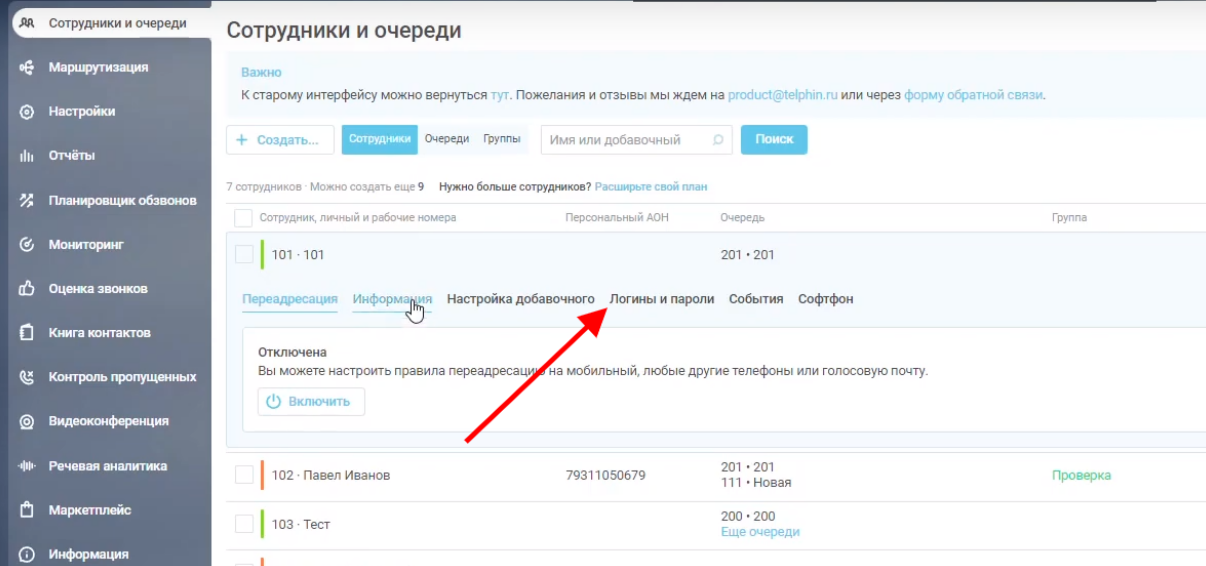
- Open the tab«Сотрудники и очереди».
- Click on the user's name.
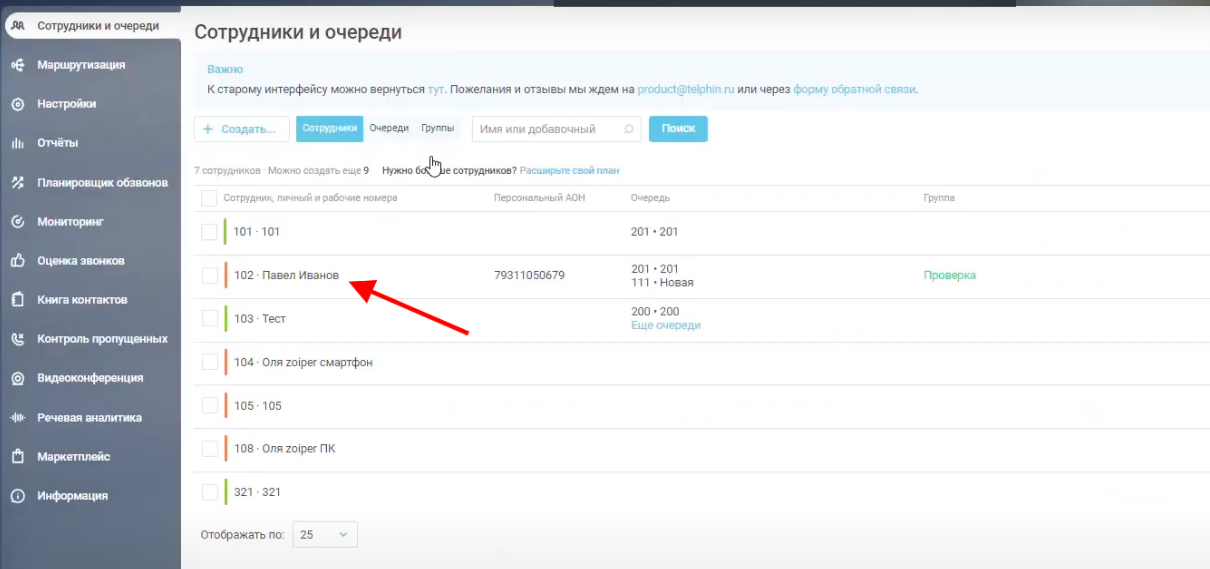
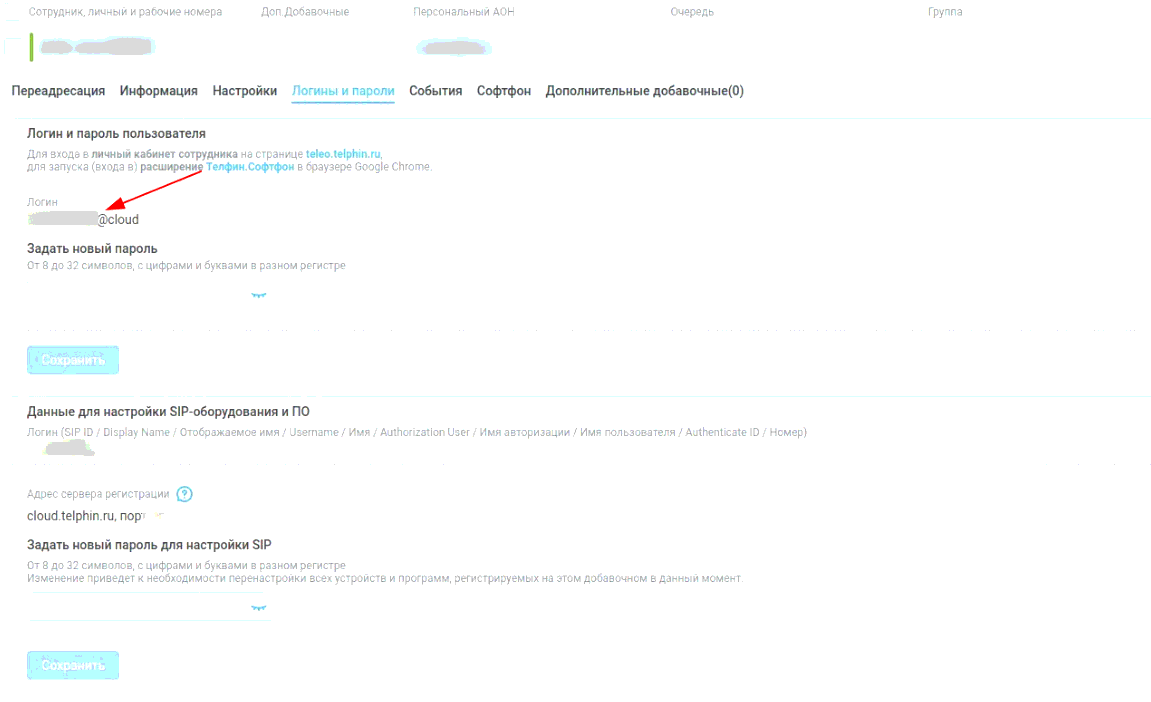
4. In the window that opens, select the tab«Логины и пароли».
5. Copy the login to «@cloud».
The password is not placed in the Telfin account.
Rostelecom
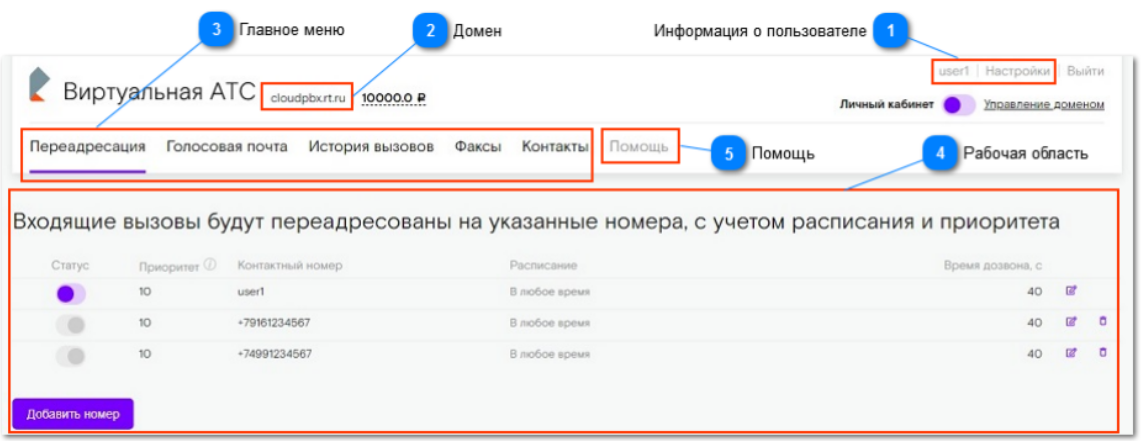
- Log in to your Rostelecom personal account https://p1.cloudpbx.rt.ru/login /.
- The URL is indicated between the words «Виртуальная АТС»and the balance, marked with the number 2 in the screenshot.
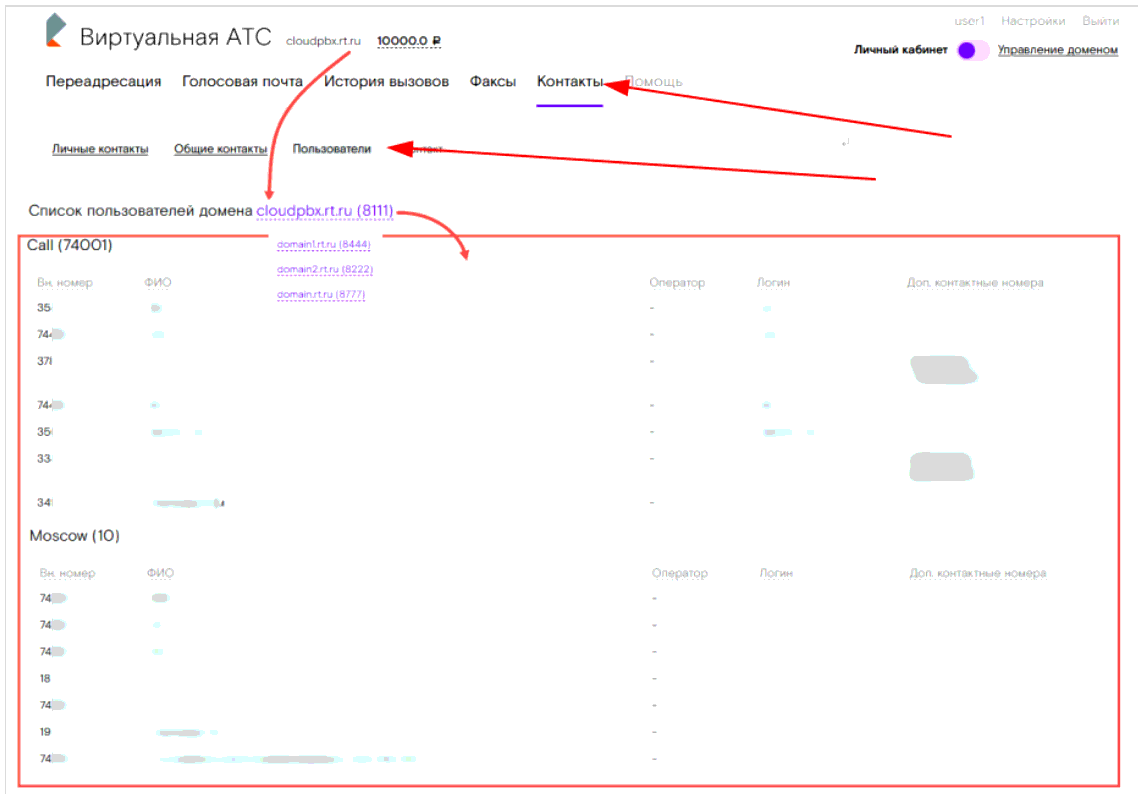
3. In your personal account, select «Контакты»the → tab«Пользователи».
4. Click on the domain in the field «Список пользователей домена»to open the list of domains.
5. Click on the domain name to display the users related to it, divided into groups and contact information.
6. Copy the required logins. Passwords are not stored in Rostelecom's personal account.
UIS
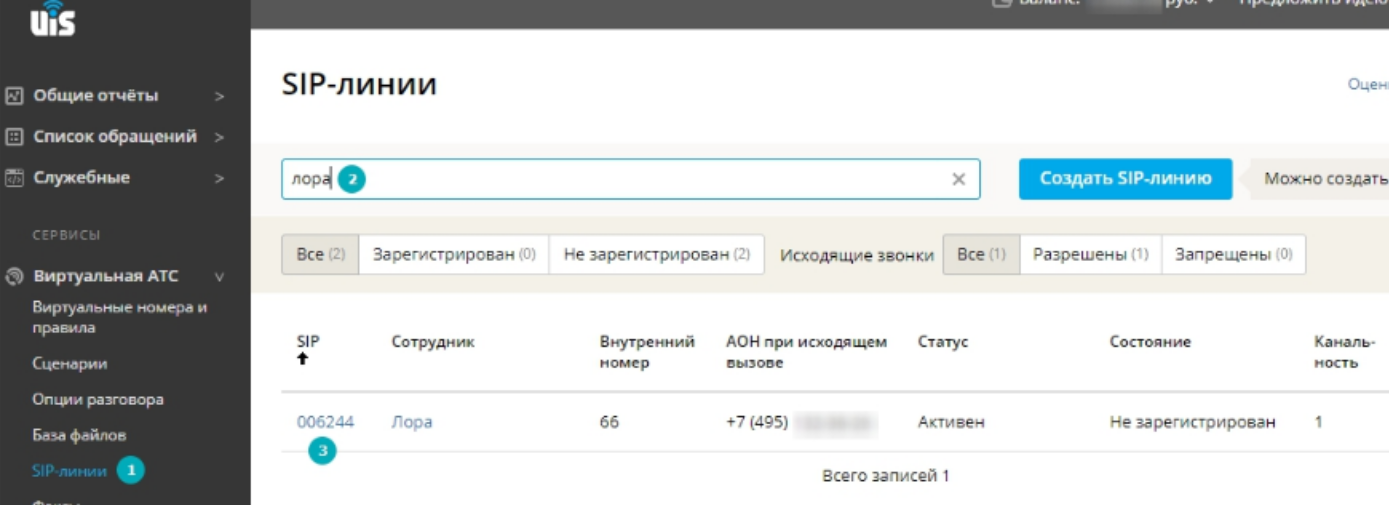
- Log in to your UIS account https://www.uiscom.ru/user /.
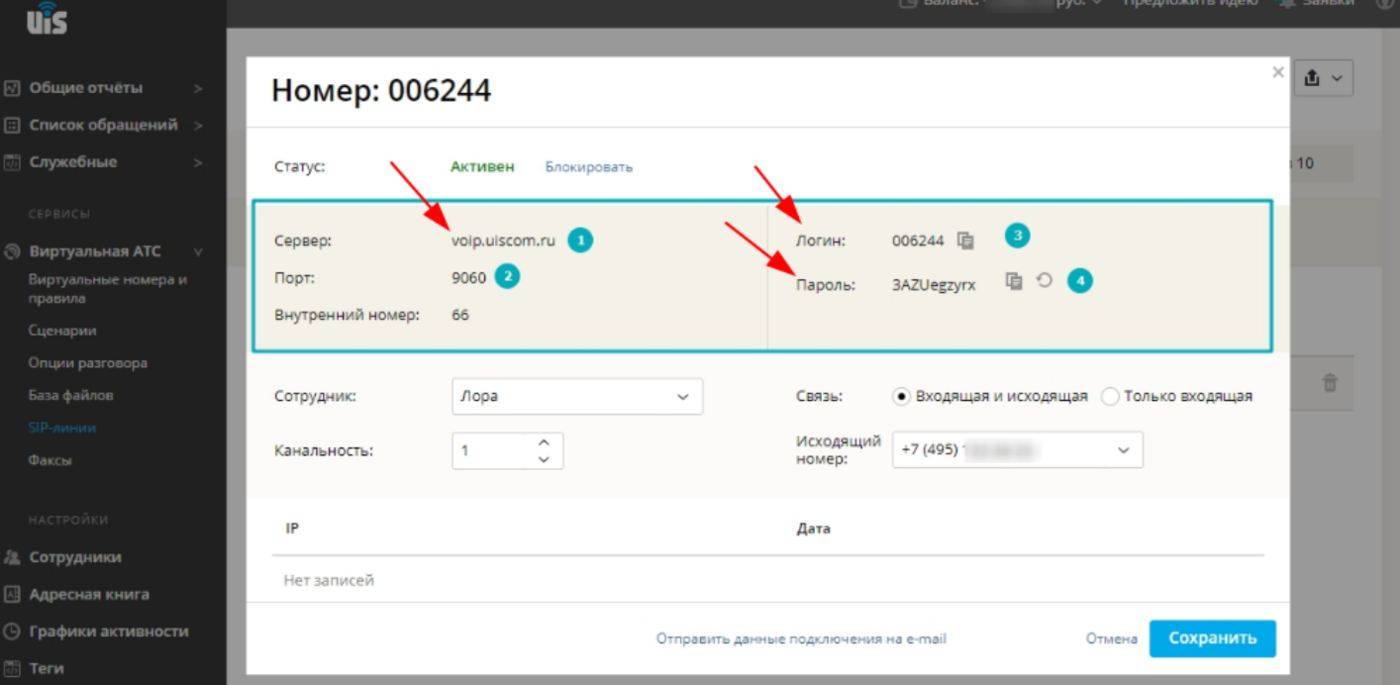
- Select a section from the menu on the left«Виртуальная АТС», and select SIP lines from the drop—down menu.
3. In the window that opens, you will find the URL, login, and password.
Beeline
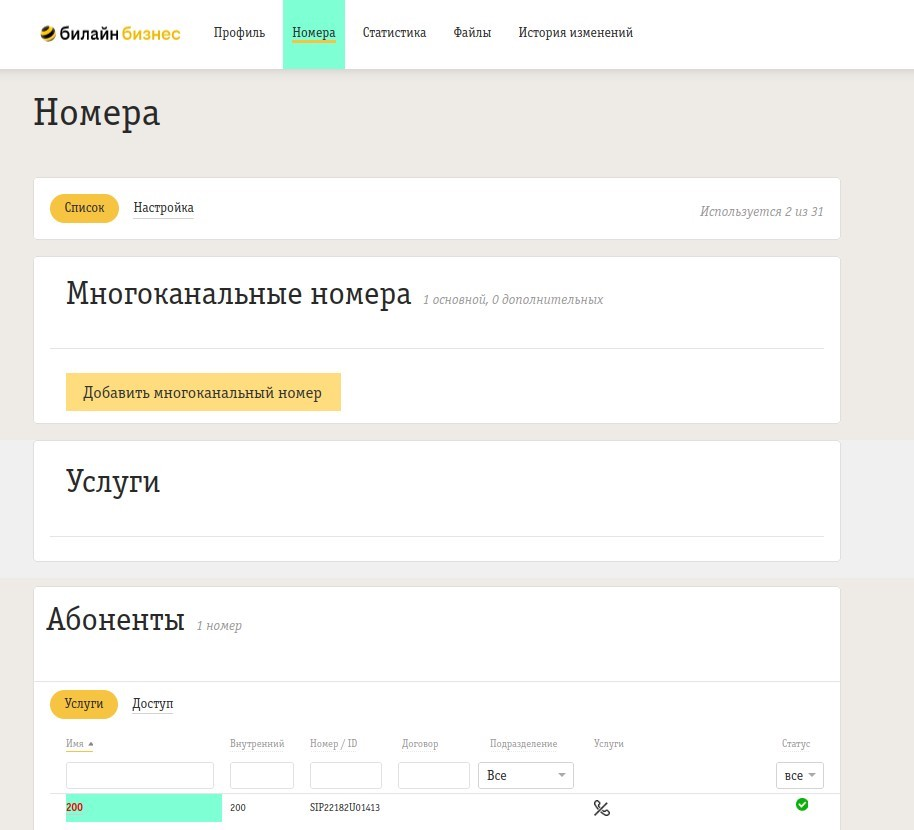
- Log in to Beeline's personal account https://cloudpbx .beeline.ru.
- Select a tab«Номера».
- At the bottom, under the «Subscribers heading, "select an employee.
- In the employee profile, scroll down to the category«SIP-аккаунт».
Here you will find the necessary information.:
- SIP User ID - login
- Domain - THE WATS URL
- The password can only be changed by clicking«Настроить»
Megafon
- Log in to your Megafon account https://vats.megafon.ru .
- Select a tab«Настройки».
- Click«Добавить сотрудника».
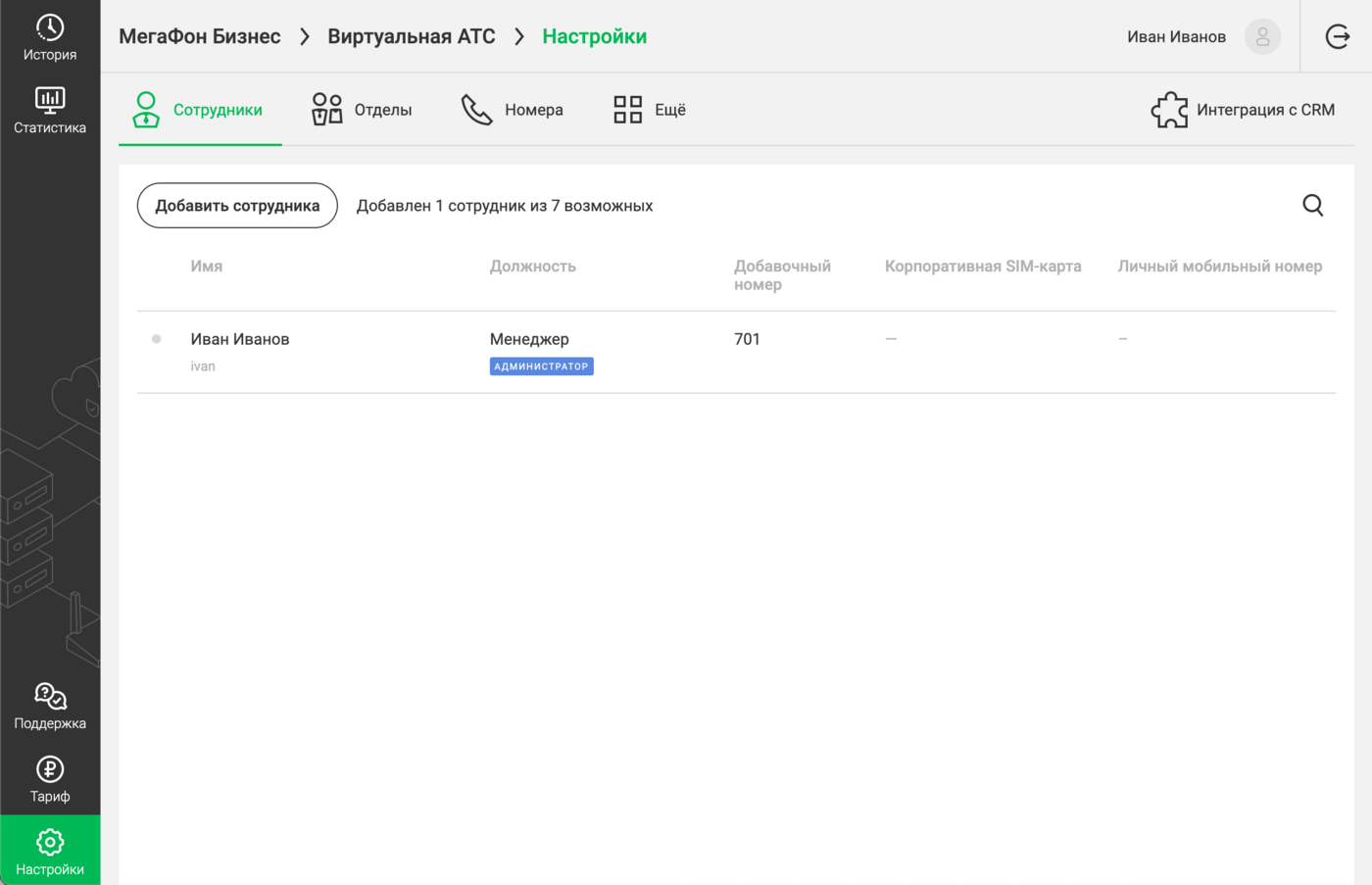
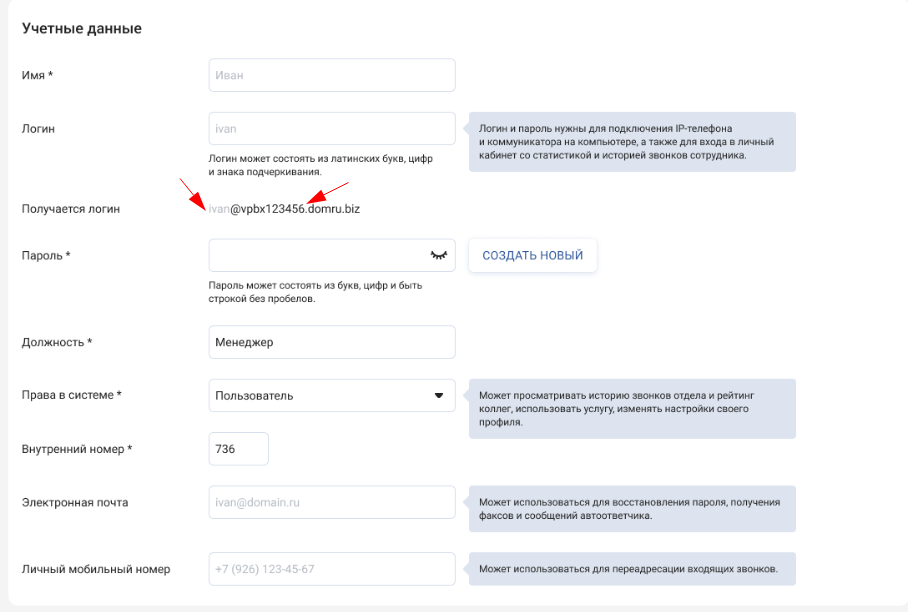
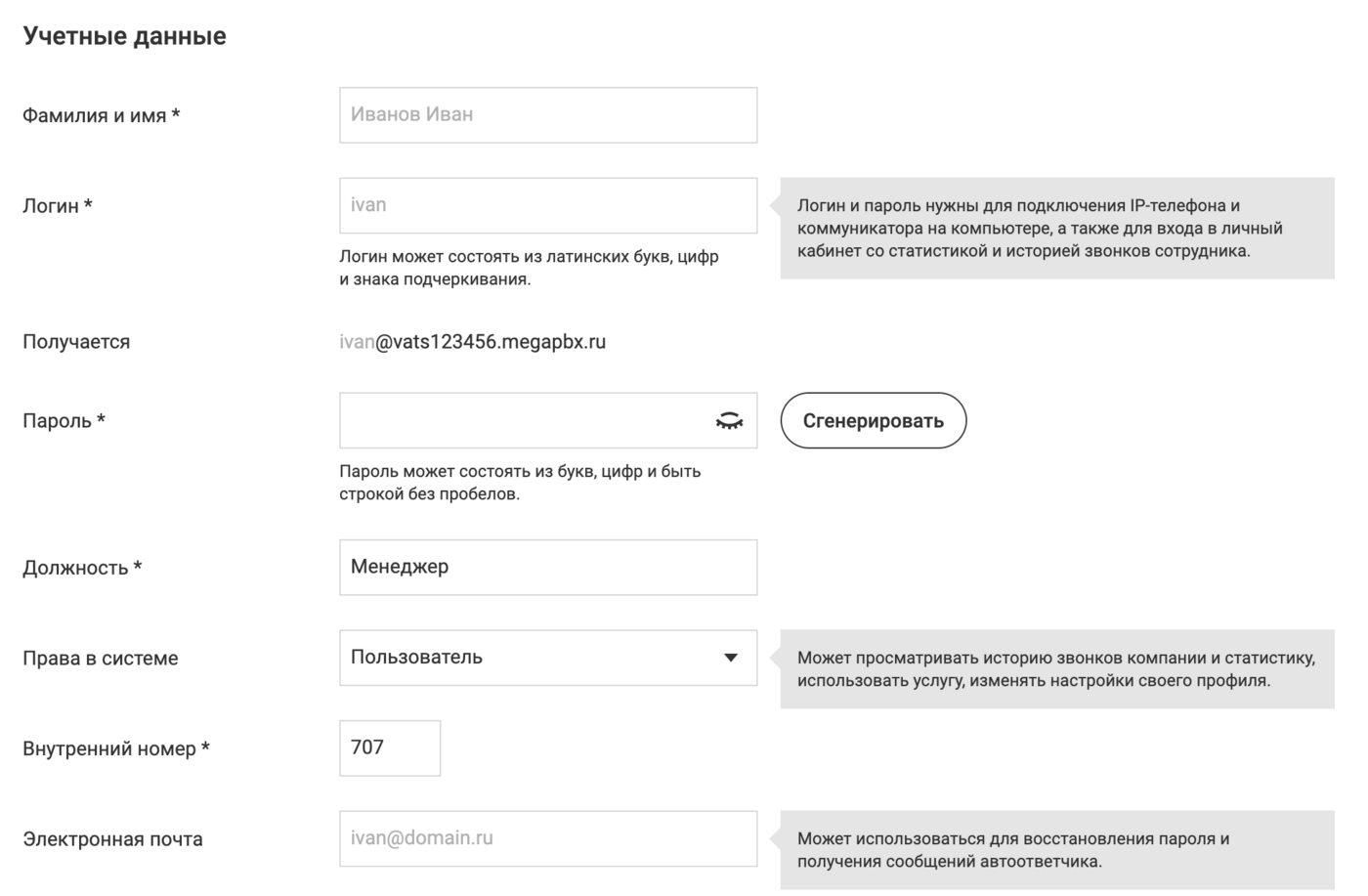
Using this example, it turns out that:
- The username is ivan (you only need to enter what goes before @).
- The password is your password.
- Server — firma.megapbx.ru (this is the address of your PBX, it differs from the example).
<url>
- Log in to your personal account at <url>.
- Go to the section «Настройки».
- Click on the tab«Сотрудники».
- Select an employee and open their card.
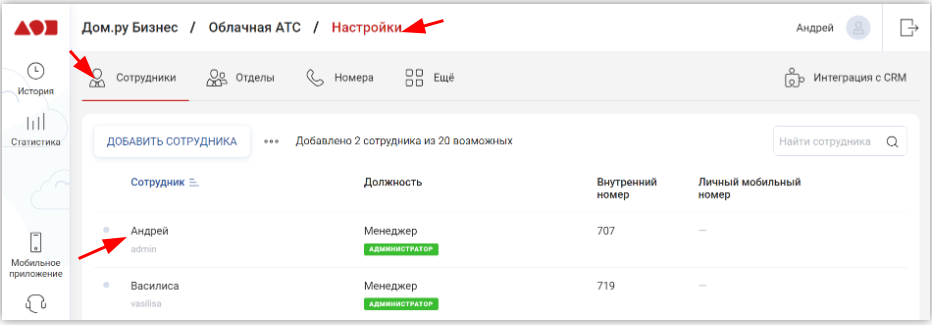
In the window that opens, you can find:
- The username is ivan (you only need to enter what goes before @).
- URL — the text after @
- Password - your password