


In this section«Пациенты», you can upload patient data to the clinic's database using an XLSX file.
To do this, click the button «Загрузить базу»at the top of the section.
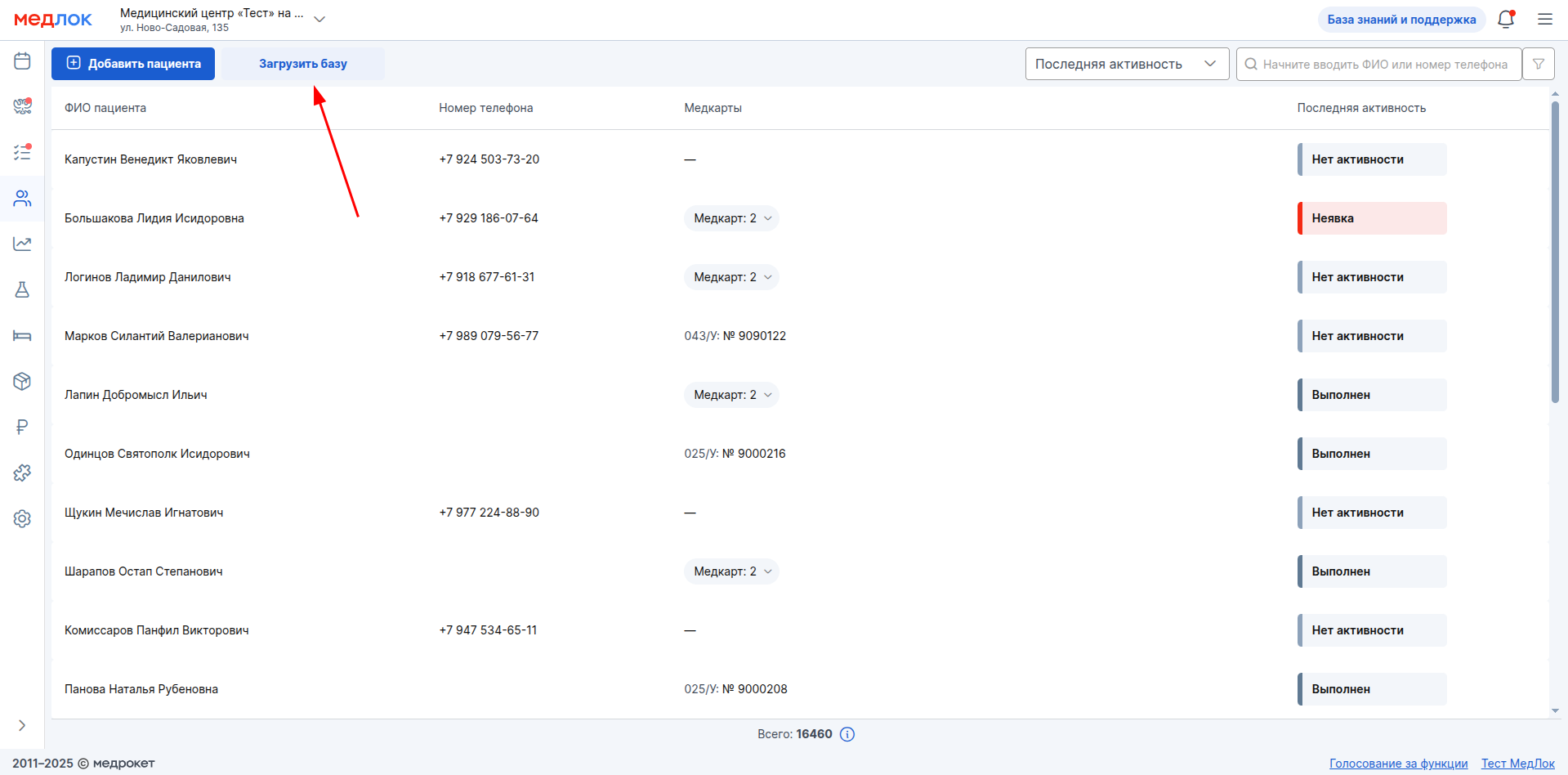
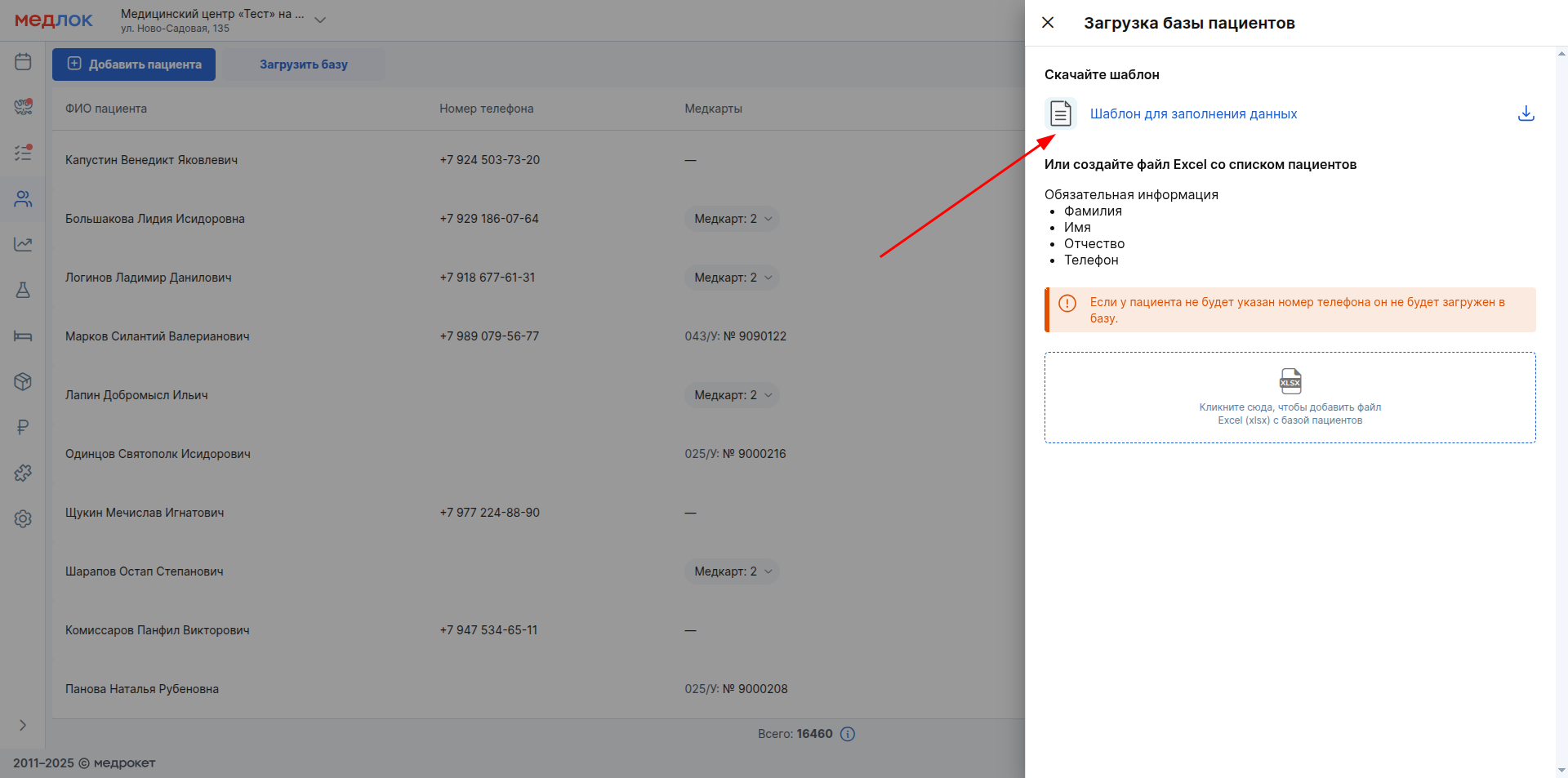
Download it in the window that appears«Шаблон для заполнения данных».
Important! After uploading the file, the patient database is updated within 7 days. The data from the uploaded file may not appear in the database immediately.
The template is a table in XLSX format.
The column names correspond to the patient data that will be added to the clinic's database. Each row of the table contains data for one patient (regardless of whether it is an adult, a child, or an incapacitated patient).
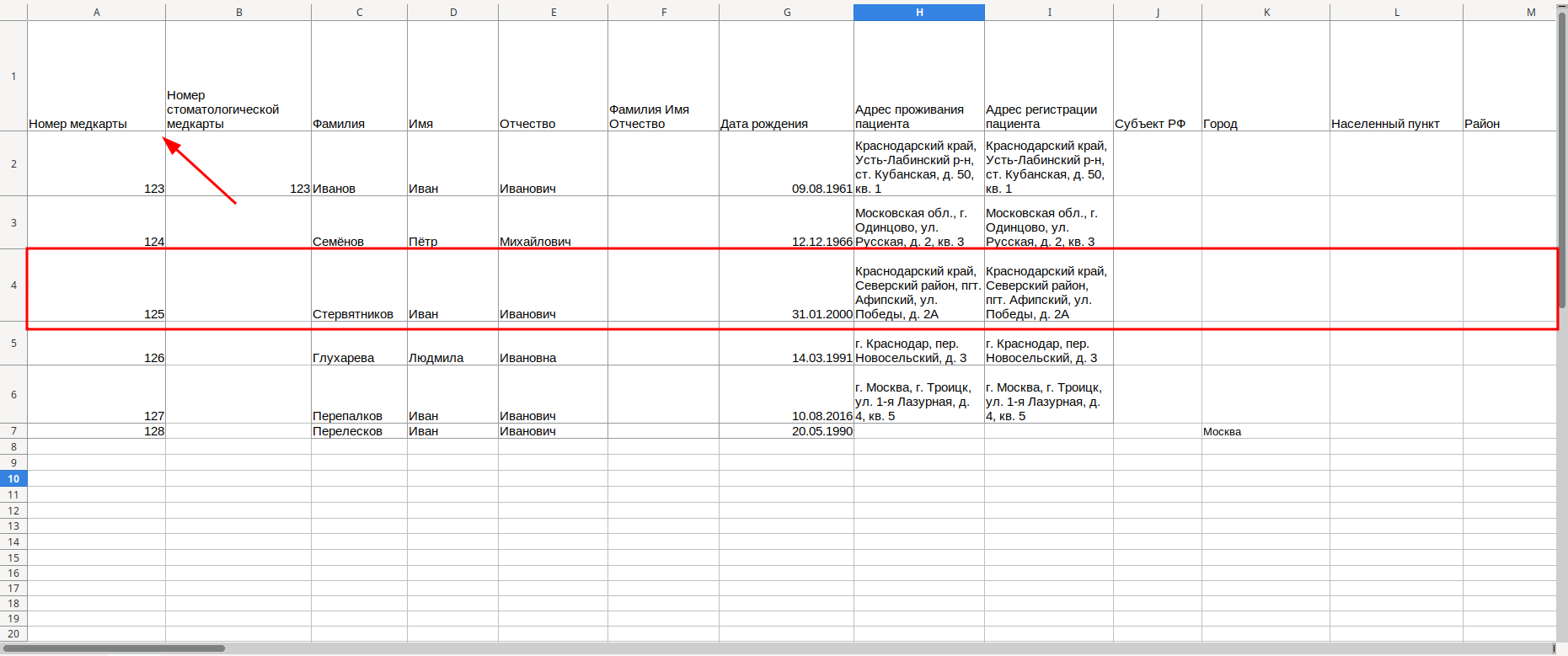
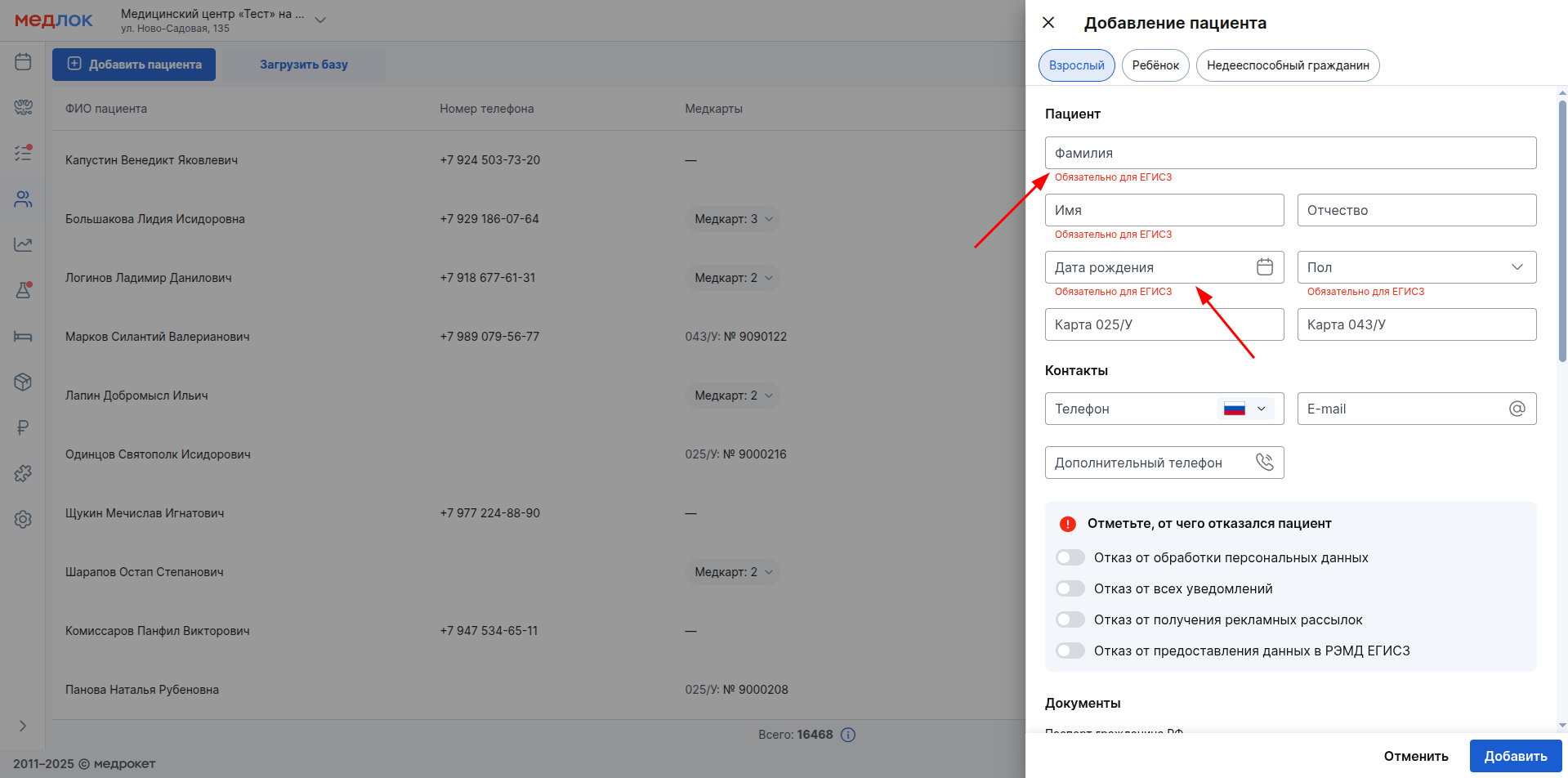
Some columns only need to contain one piece of information. For example, the columns «Фамилия»and «Дата рождения». The data from these columns is transferred to the corresponding fields in the patient profile.
The other columns contain information that is automatically divided into several fields in the profile. For example, the columns «Адрес проживания пациента»and «Адрес регистрации пациента».
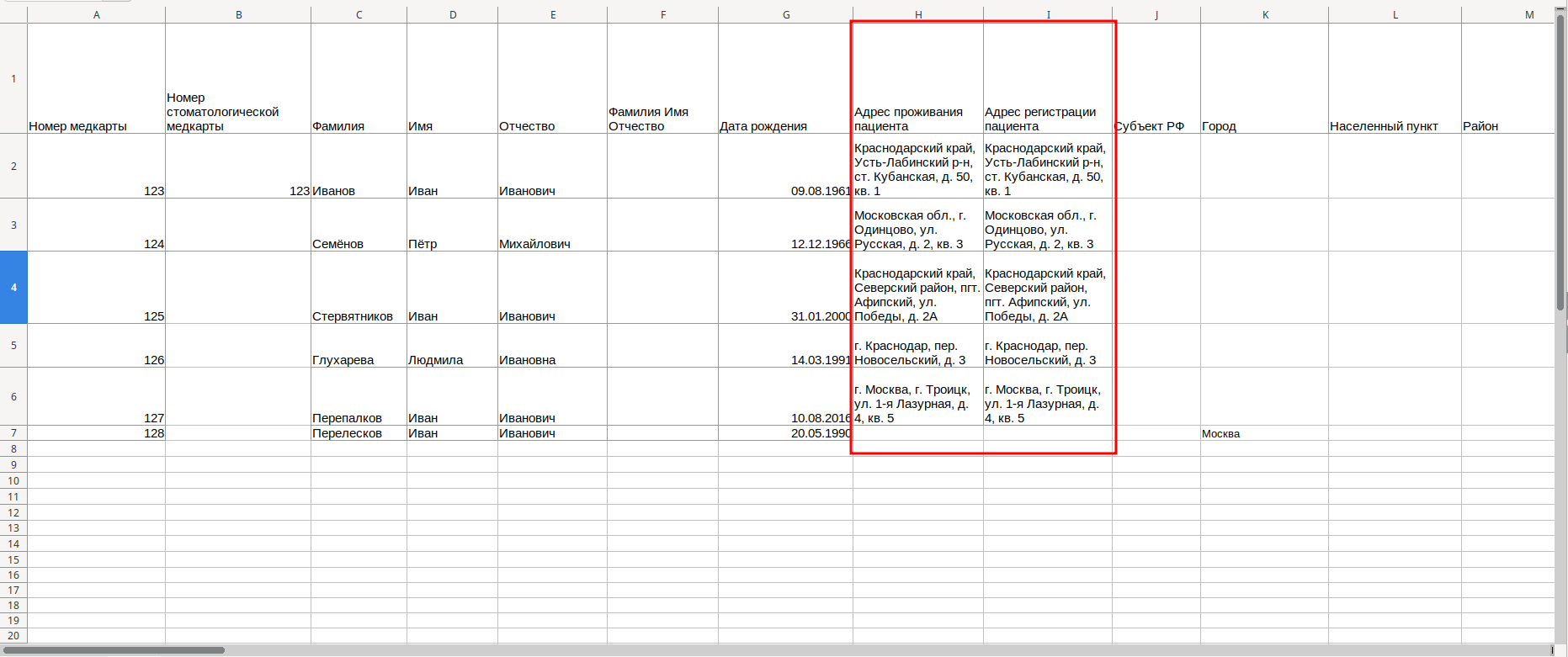
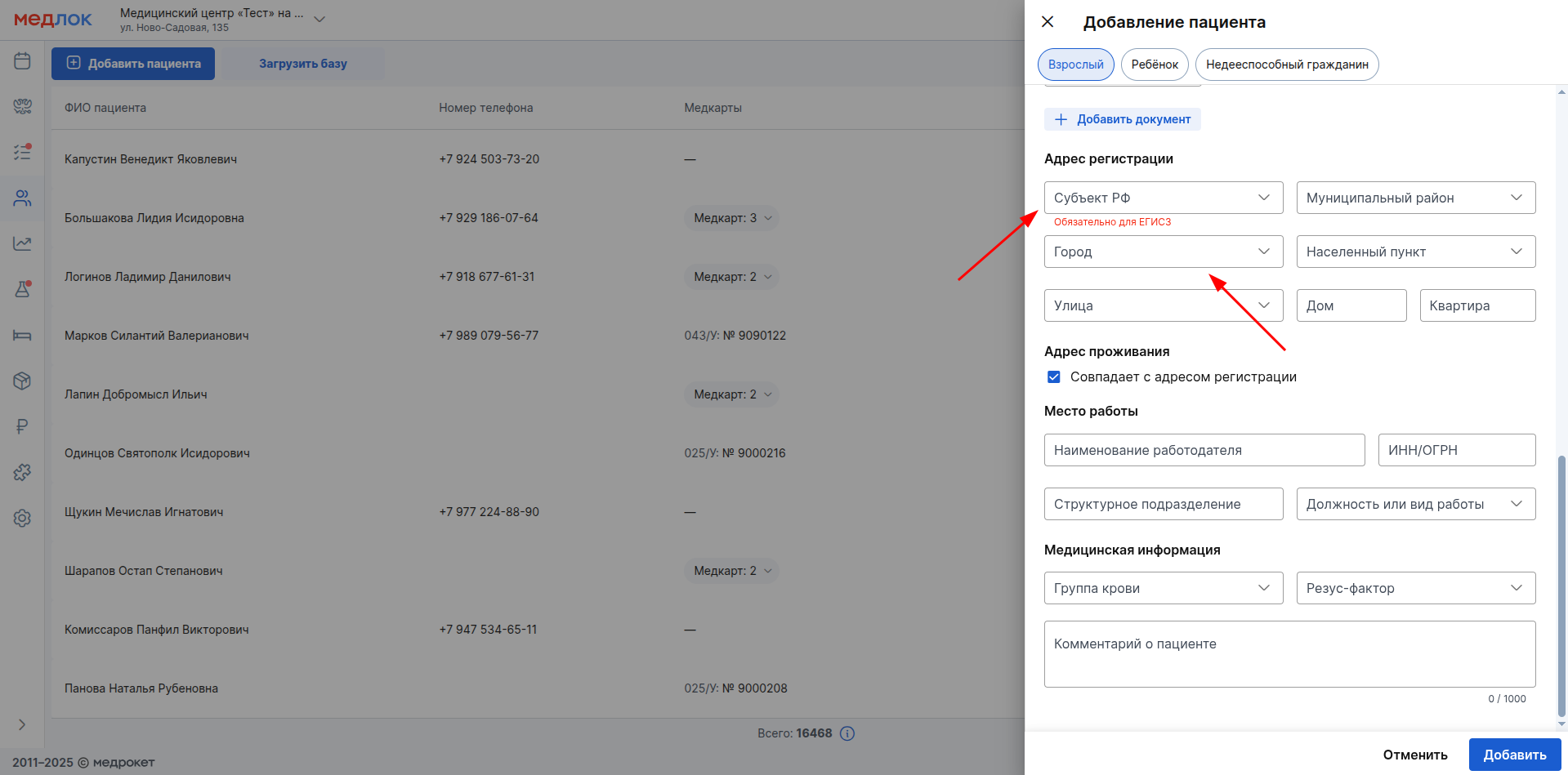
They need to include the full address. The system itself will distribute its parts into separate fields: «Субъект РФ», «Город»and others.
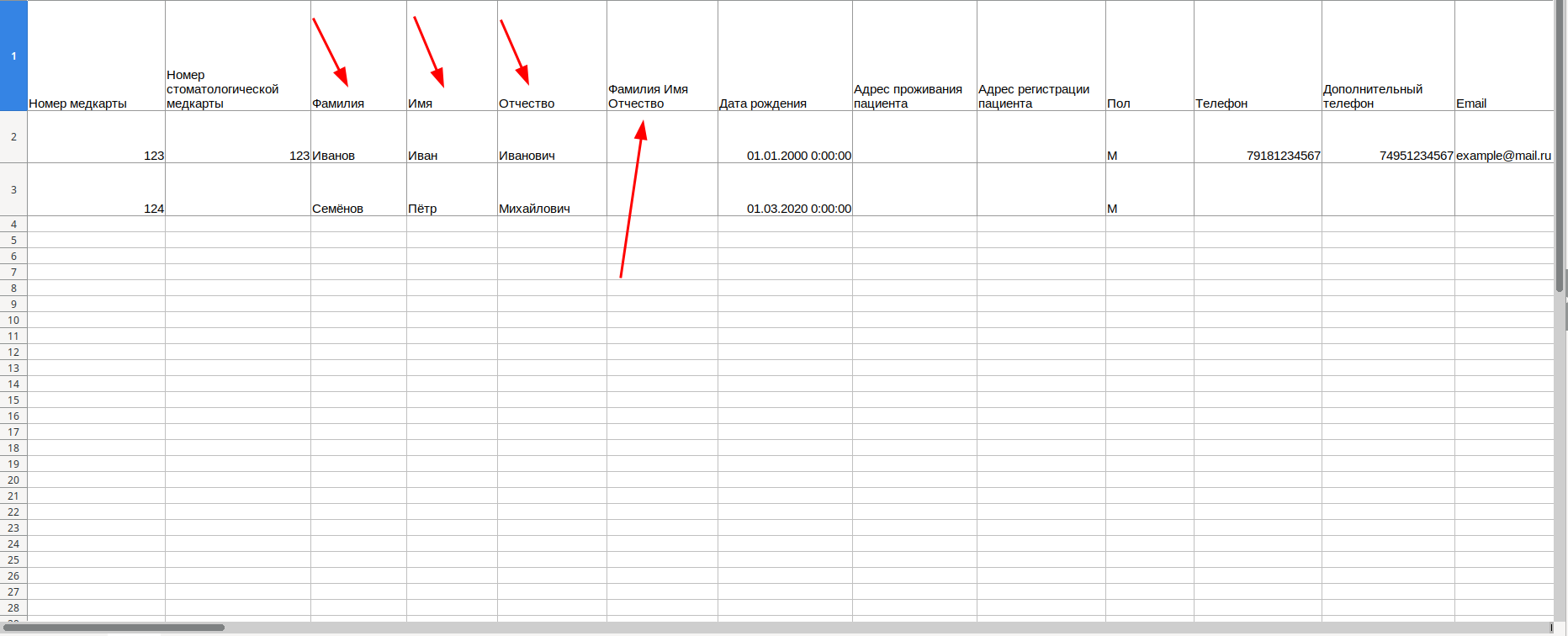
Some columns duplicate each other. You can enter your full name in the column «Фамилия Имя Отчество»or fill in the last name, first name and patronymic separately in the corresponding columns.
Examples of filling have been added for the main template fields.
Important! Keep punctuation (commas, spaces, hyphens) and data format (for example, date of birth) exactly as indicated in the examples. This is necessary to fill in the fields in the patient's profile correctly.
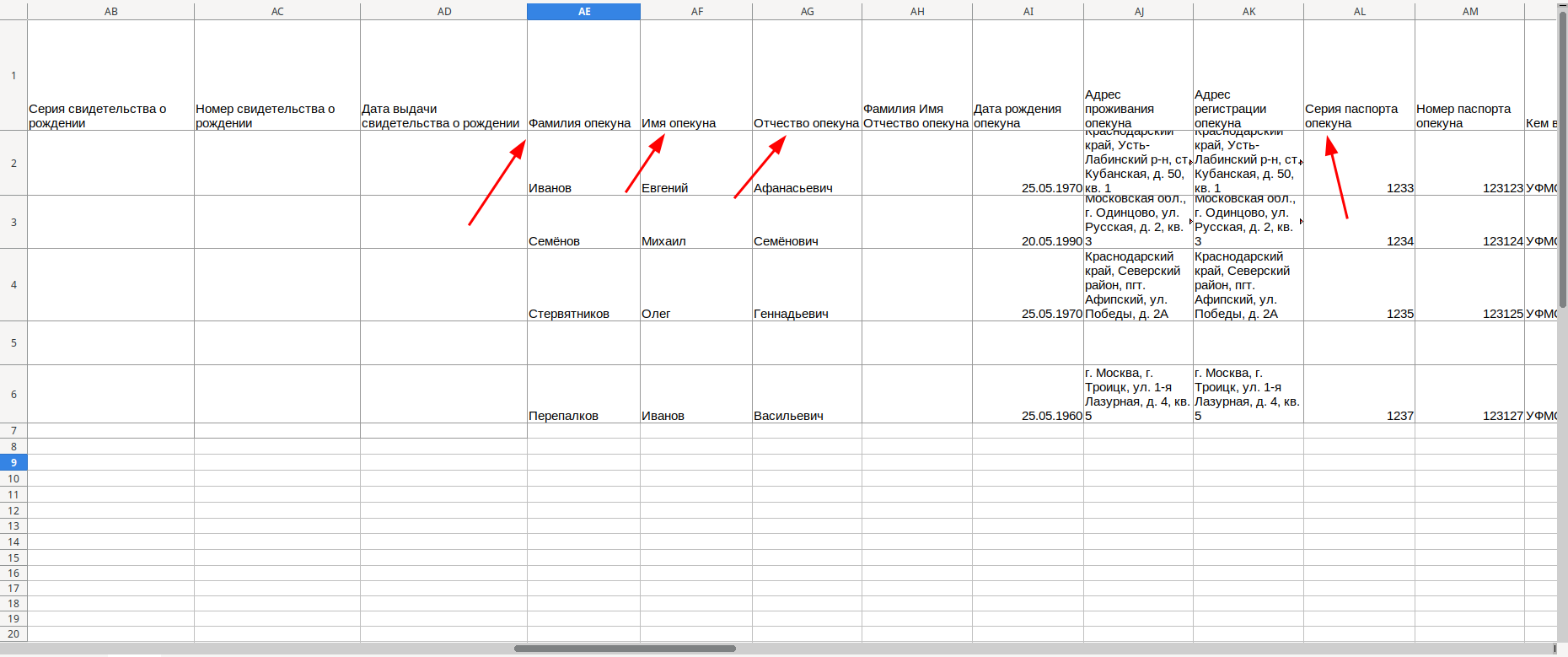
For child patients and incapacitated patients, be sure to provide the details of the guardian. All columns intended for the patient's guardian contain the word in the title«опекун». The caregivers will be added to the database as individual patients.
Features of filling in addresses
To ensure that the address is filled in correctly in the patient's profile, follow the correct order of the address parts and punctuate the punctuation marks as indicated in the examples.
Examples of incorrect spelling:
- KRASNODAR TERRITORY, Seversky District, Afipsky village, Pobedy str., 2a
If you write it this way, the address will not be lost, but it will only be moved to the field«Улица». For correct division across all fields, write as follows:
Krasnodar Territory, Seversky district, Afipsky village, Pobedy St., 2A
- Moscow Troitsk, 1st Lazurnaya str. d4, kv5
There are many mistakes made in this example. If you write it this way, the address will also appear only in the field«Улица». The correct option:
Moscow, Troitsk, 1st Lazurnaya str., 4, sq. 5
Supported designations for the constituent parts of the residential/registration address 
Subject of the Russian Federation:
- the edge
- Rep.
- republic
- reg.
- area
- city
- g.
- g
- mountains.
- mountains
- autonomous region
- autonomous region
- ao
- A.region
- a.ocd.
- A. region
- a. ocd.
Municipal area:
- municipal area
- M. district
- M.O.
- district
- district
- M. O.
City:
- city
- g.
- mountains.
- g
- mountains
Locality:
- farmstead
- h.
- the village
- st.
- st-ca
- village
- with.
- village
- village
- village
- village
- p.
- urban-type settlement
- urban-type settlement
- village.
- village
Street:
- The alley
- al.
- boulevard
- b-r
- removal
- first
- alleyway
- per.
- square
- pl.
- transit
- Ave.
- avenue
- the avenue
- the alley
- the alley.
- dead end
- dead end.
- street
- st.
- st
- highway
- sh.
House:
- house
- d.
- d
Flat:
- flat
- sq.
- sq