


1. Create an appointment with the right specialist in your schedule.
To create a card, specify the data in the patient's profile:
- Last name, first name.
- Paul.
- Date of birth.
- SNILS.
- The subject of the Russian Federation in which the patient lives or is registered.
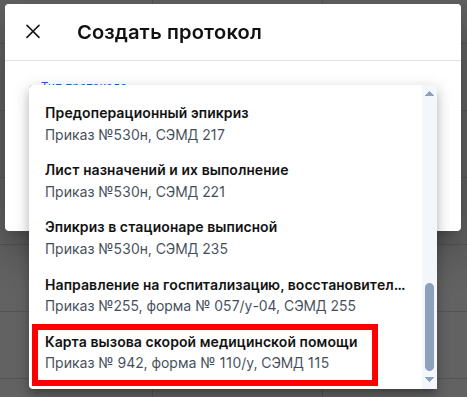
2. Click the Create protocol button and select «Карта вызова скорой медицинской помощи».
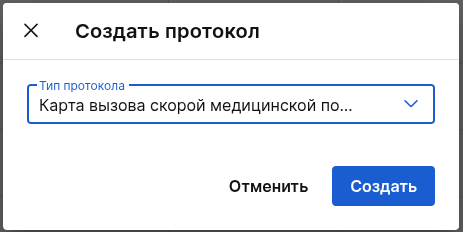
3. After selecting the protocol, press the button«Создать».
Filling rules:
- All required fields will be highlighted as
Required for EGIS3
with the EGIS3 module connected. - Sections with buttons
+ Add
they contain optional information that is filled in as needed. Click «+ Добавить»only if you have the relevant data. After clicking, additional fields will open to fill in (some of them may be mandatory) — enter the data according to the logic of the section. If you click incorrectly, you can delete the additional section.
The fields in the document must be filled in:
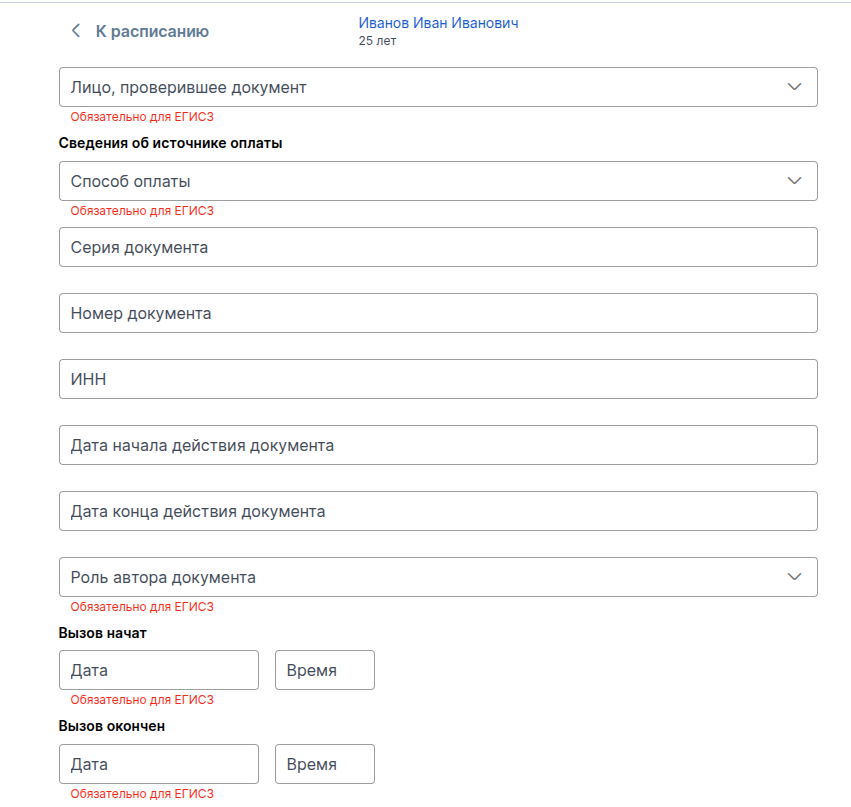
- «Лицо, проверившее документ» — it is intended to indicate the employee who checked the card filling.
- «Сведения об источнике оплаты» — select the payment method for the services provided from the list.
- Fill in the details of the relevant payment source document (series, number, INN, start and end dates), if required.
- Specify the role of the author of the document.
- «Вызов начат»: Enter the date and time of the start of the call.
- «Вызов окончен»: Enter the date and time of the end of the call.
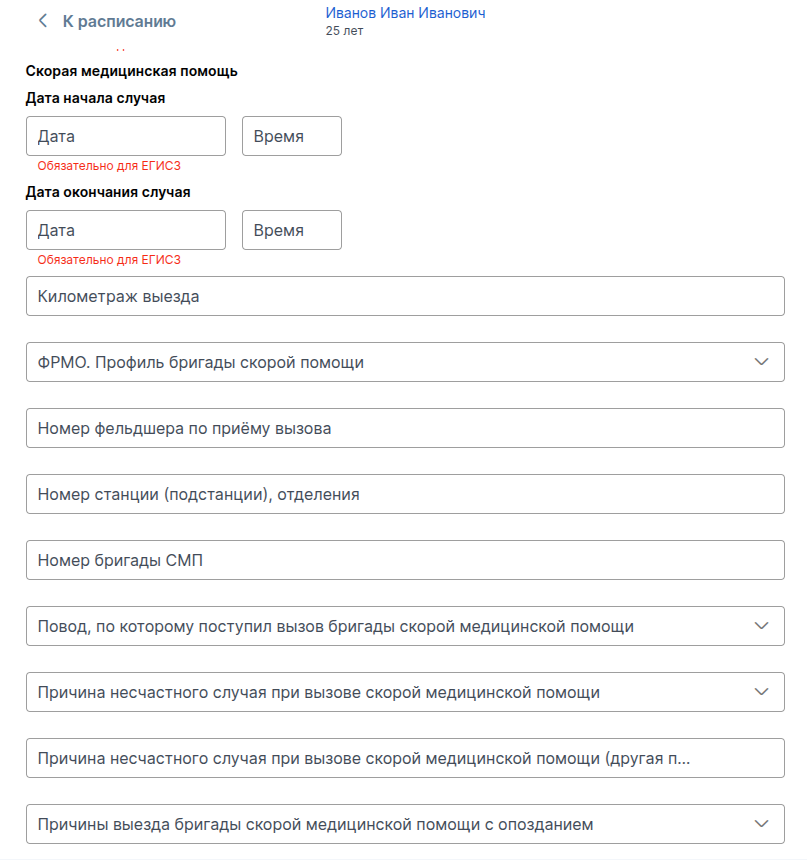
- «Дата и время начала/окончания случая»: Fill in the date and time of the start and end of the medical case.
- «Километраж выезда»: specify the mileage of the car.
- «Профиль бригады»: Select the profile of the brigade from the directory (FRMO).
- Fill in the service numbers: paramedic's number, station number, team number.
- Specify the reason for the call and the cause of the accident (if applicable) from the drop-down list.
- If there is no appropriate choice for the cause of the accident, then fill it out manually in the following field (marked
another reason
). - Select a value from the list for the field
The reasons for the delayed departure of the ambulance team
(if applicable).
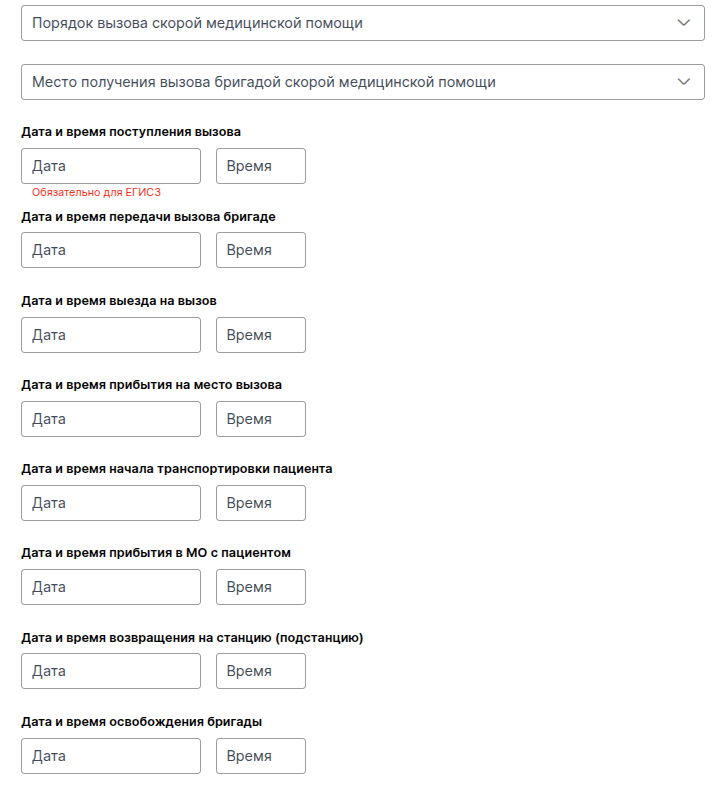
- Select a value from the list for the field«Порядок вызова скорой медицинской помощи».
- Select a value from the list for the field«Место получения вызова бригадой скорой медицинской помощи».
Fill in the date and time of each stage sequentially:
- Receiving a call to the dispatch service.
- Transferring a call to a team for execution.
- Departure of the team on a call.
- Arrival at the place of the call.
- The beginning of patient transportation.
- Arrival at the medical organization (MO) with the patient.
- Return of the team to the station/substation.
- Release of the brigade (ready to receive new challenges).
- Fill in the field
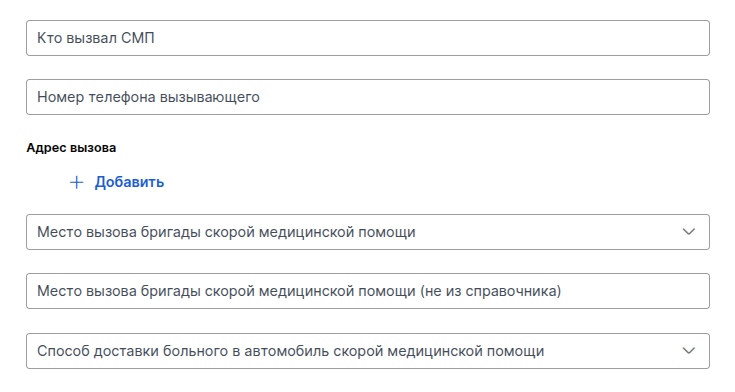
Who called the NSR
: specify the initiator of the call (patient, relative, passerby, etc.). - Fill in the field«Номер телефона вызывающего»: contact number for communication.
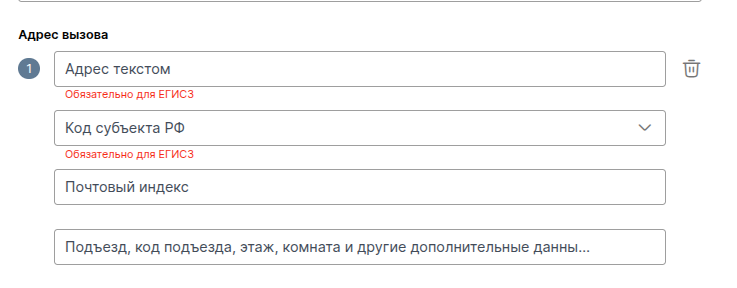
- «Адрес вызова»: optional field, enter the address using the button «+ Добавить»if necessary.
- «Место вызова»: fill in the field with the value from the drop-down list.
- If «Место вызова»there is no corresponding choice, then fill in the field manually below (with a note
not from the directory
). - «Способ доставки в автомобиль»: Select from the list how the patient was delivered to the car.
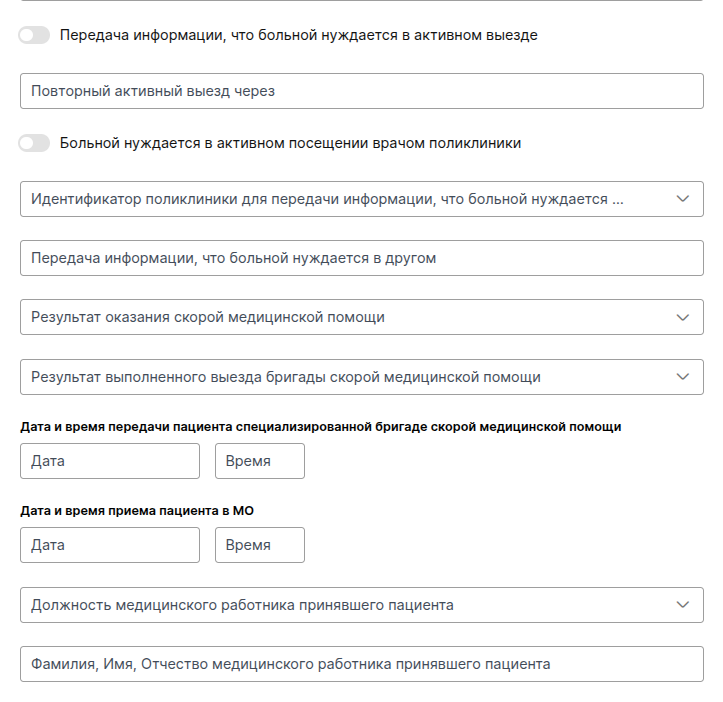
- Turn «Передача информации, что больной нуждается в активном выезде»it on: make it active if an ambulance is required after the examination.
- Field «Повторный активный выезд через»: specify the interval after which the patient should be visited.
- «Больной нуждается в активном посещении врачом поликлиники»: make it active if a visit from a doctor from a polyclinic is required after the examination.
- «Идентификатор поликлиники»: Enter the number of the polyclinic to which the information is being sent.
The result of providing emergency medical care
: the final result of the medical care provided, the choice from the list.The result of the completed check-out
: the total total of the call is selected from the list.Date and time of transfer of the patient to a specialized ambulance team
: to be filled in if the patient has been transferred to another NSR team for further transportation or assistance.Date and time of the patient's admission to the Ministry of Defense:
the moment of transfer of the patient to the staff of the hospital admission department.The position of the medical worker who admitted the patient
And hisFCs
: the data of the health worker who admitted the patient to the hospital.
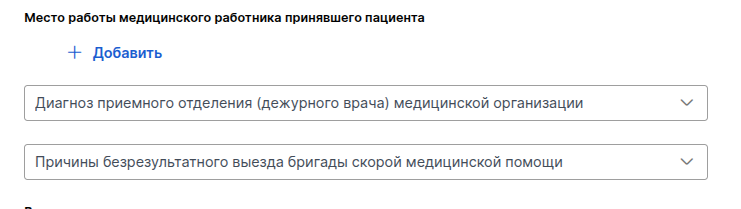
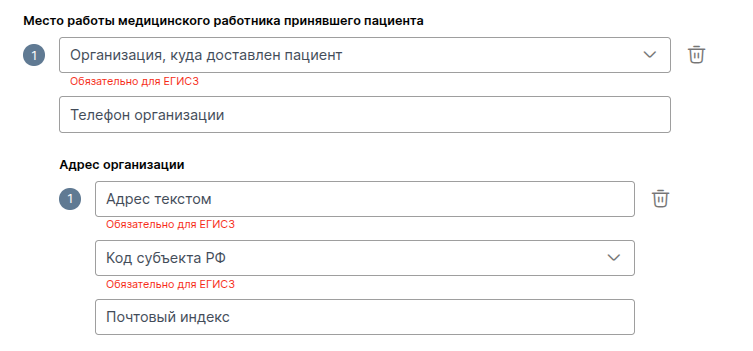
Post
,FCs
andplace of work
the medical professional who accepted the patient (the place of work is filled in after «+ Добавить»).Diagnosis of the admission department
: a preliminary or final diagnosis made by the emergency room doctor on duty.Reasons for unsuccessful departure
: to be filled in if no assistance has been provided. Selecting the reason from the reference list.
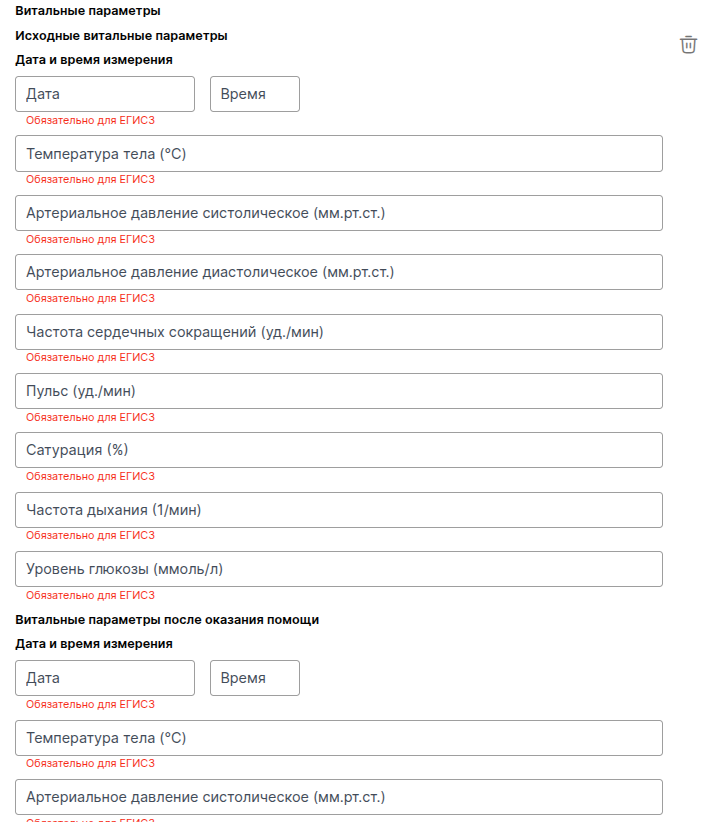
Vital parameters
— filled in during measurements: temperature, blood pressure, pulse, saturation — before and after medical care.
Diagnosis
— filled in via «+ Добавить», when added, the main diagnosis (from the list), the medical description of the nosological unit, and the ACS form (from the list) are indicated.
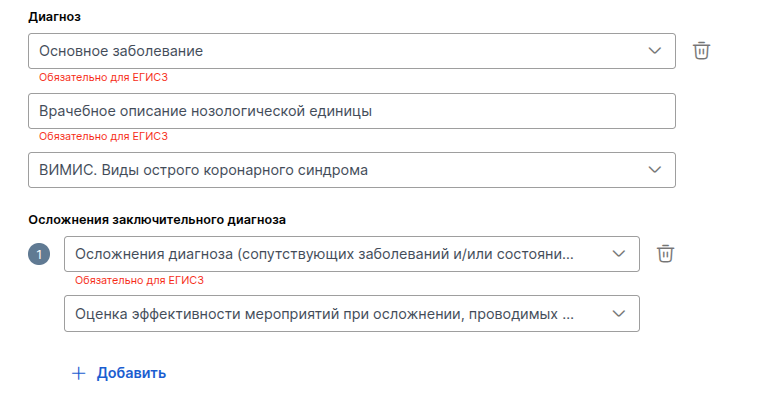
In addition to the diagnosis, you can add complications of the diagnosis and an assessment of the effectiveness of measures for complications (from the list).
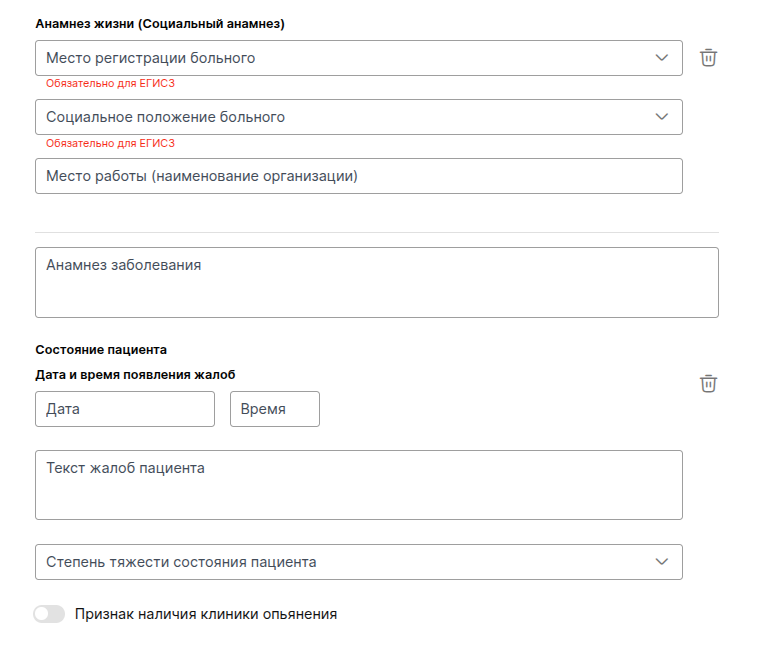
Life history (Social history)
— filled in via «+ Добавить», when added, information about registration, social status and place of work of the patient is filled in.Anamnesis of the disease
— a text field (history of the disease, complaints, treatment performed).Patient's condition
— recording of the patient's current condition at the time of examination, includes fields:- The date and time when the complaints appeared.
- The text of the patient's complaints is the main symptoms and complaints from the words of the patient.
- The severity of the condition is a choice from the list (satisfactory, moderate severity, etc.)
- The slider «Признак наличия клиники опьянения».
Physical examination
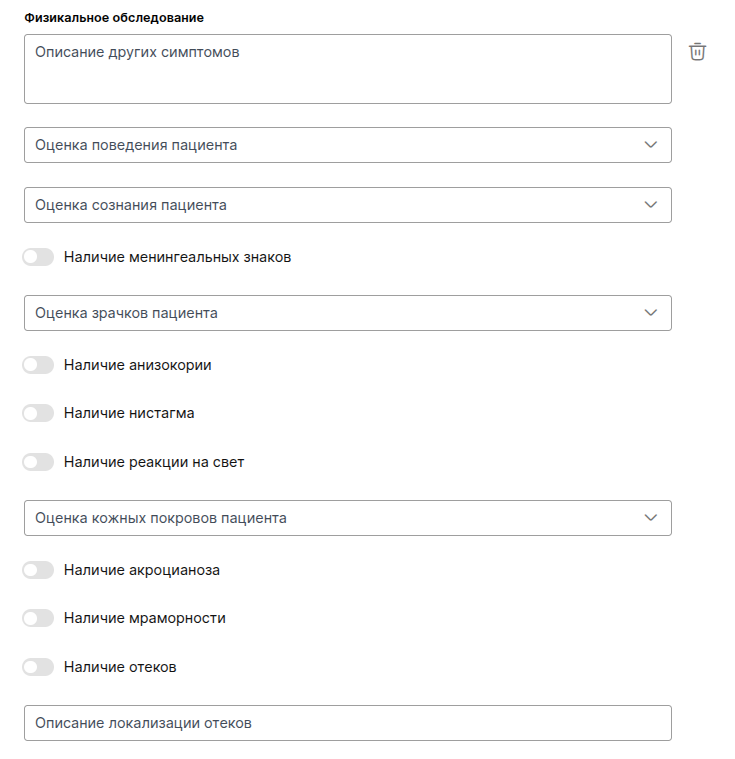
— filled in via «+ Добавить»when added is filled in:- Description of other symptoms.
- Assessment of the patient's behavior.
- Assessment of the patient's consciousness.
- «Наличие менингеальных знаков».
- Assessment of the patient's pupils.
- «Наличие анизокории», «Наличие нистагма», «Наличие реакции на свет».
- Assessment of the patient's skin.
- «Наличие акроцианоза», «Наличие мраморности», «Наличие отёков».
- Description of the localization of edema.
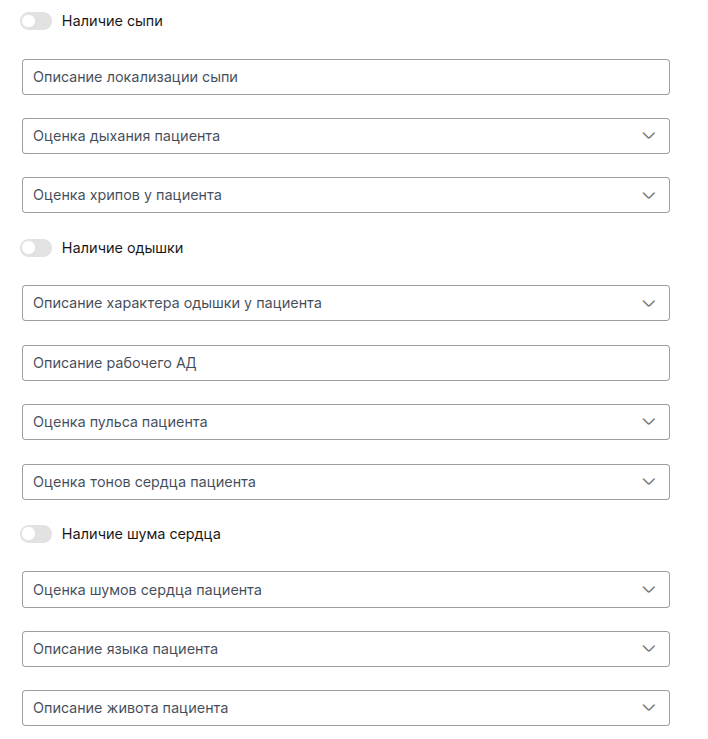
- «Наличие сыпи».
- Description of the location of the rash.
- Assessment of the patient's breathing.
- Assessment of wheezing in the patient.
- «Наличие одышки».
- Description of the patient's dyspnea.
- Descriptions of the patient's tongue and abdomen.
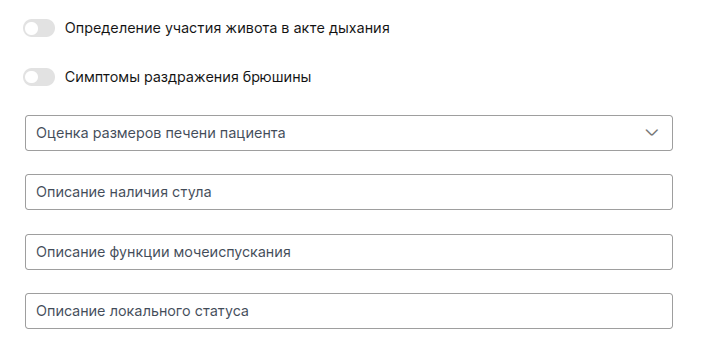
- «Определение участия живота в акте дыхания», «Симптомы раздражения брюшины».
- Assessment of the patient's liver size.
- Description of the presence of a chair.
- Description of the function of urination.
- Description of the local status.
If you have the setting active«Выбор юридического лица в протоколах для отправки в РЭМД», make sure that the correct legal entity is selected in the appropriate field. Read more about this option in the article Signing the protocol by a doctor.
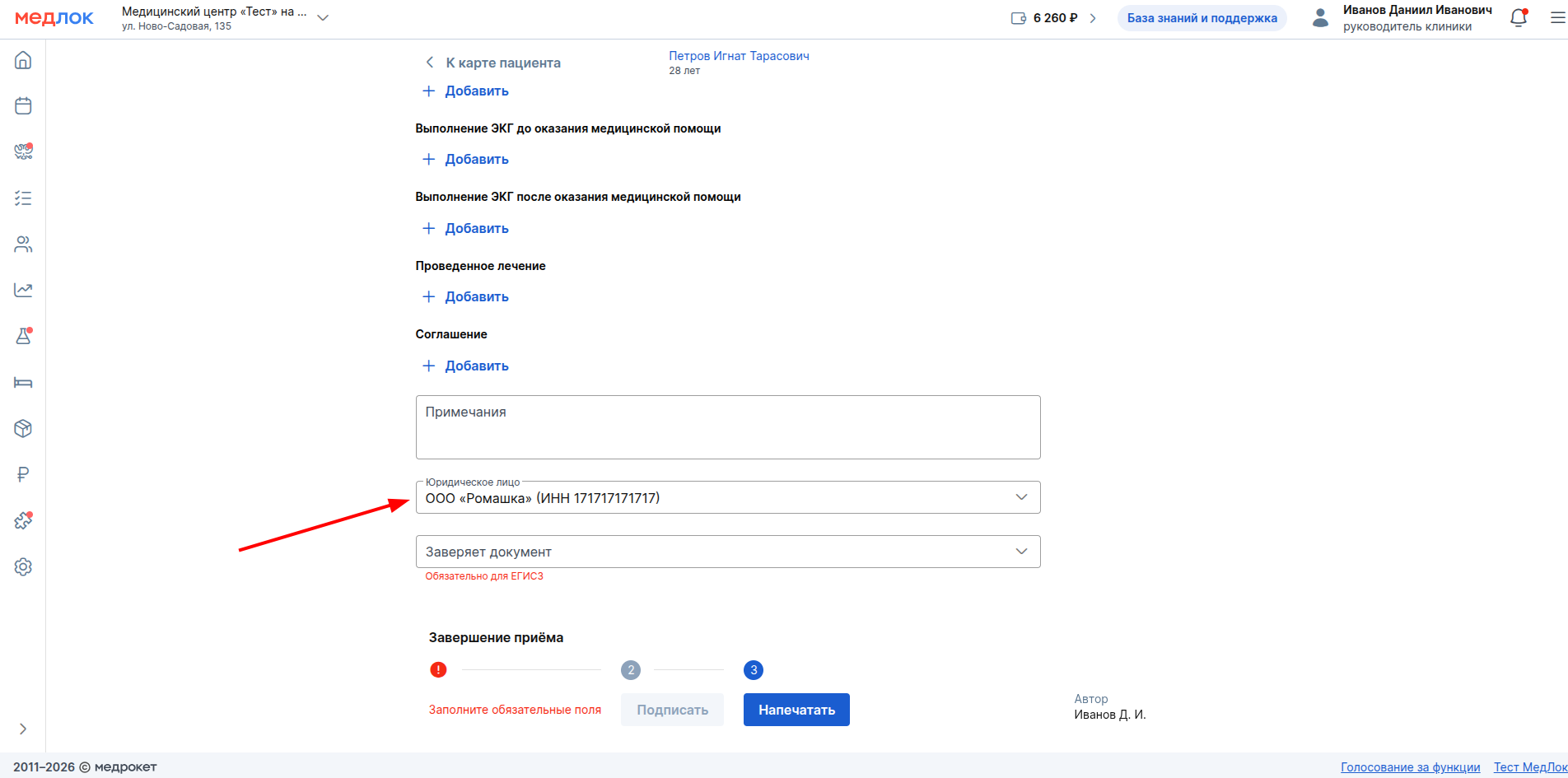
After filling out the document, the doctor and the head of the clinic sign the document, after which it is sent to the RAMD.