


Gradually, new forms of medical cards will appear in MedLock. After adding a new medical card form, you will see a notification about it in the IIA. If this medical card is needed in your clinic, then you must follow these steps::
1. Go to «Настройки».
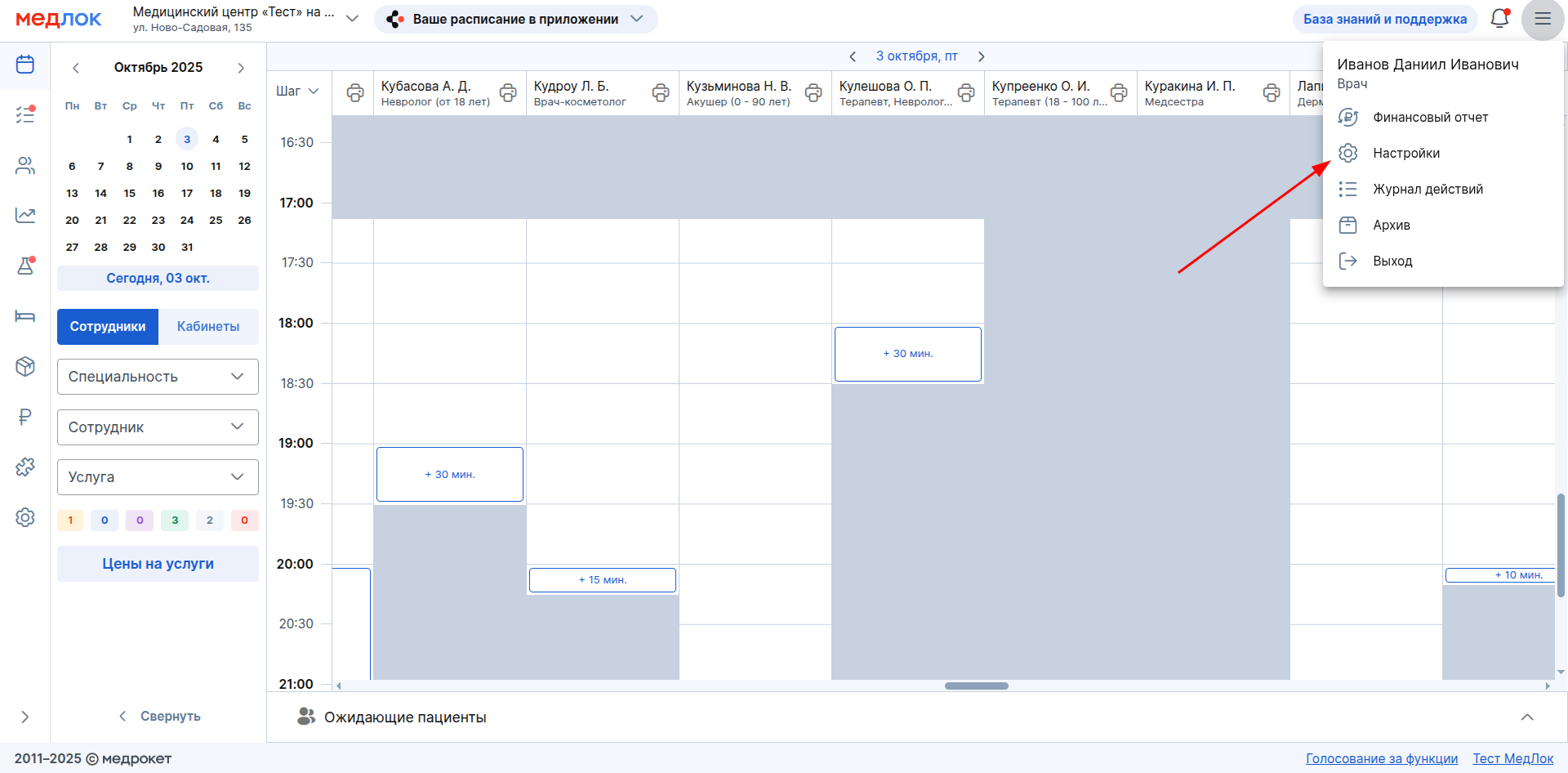
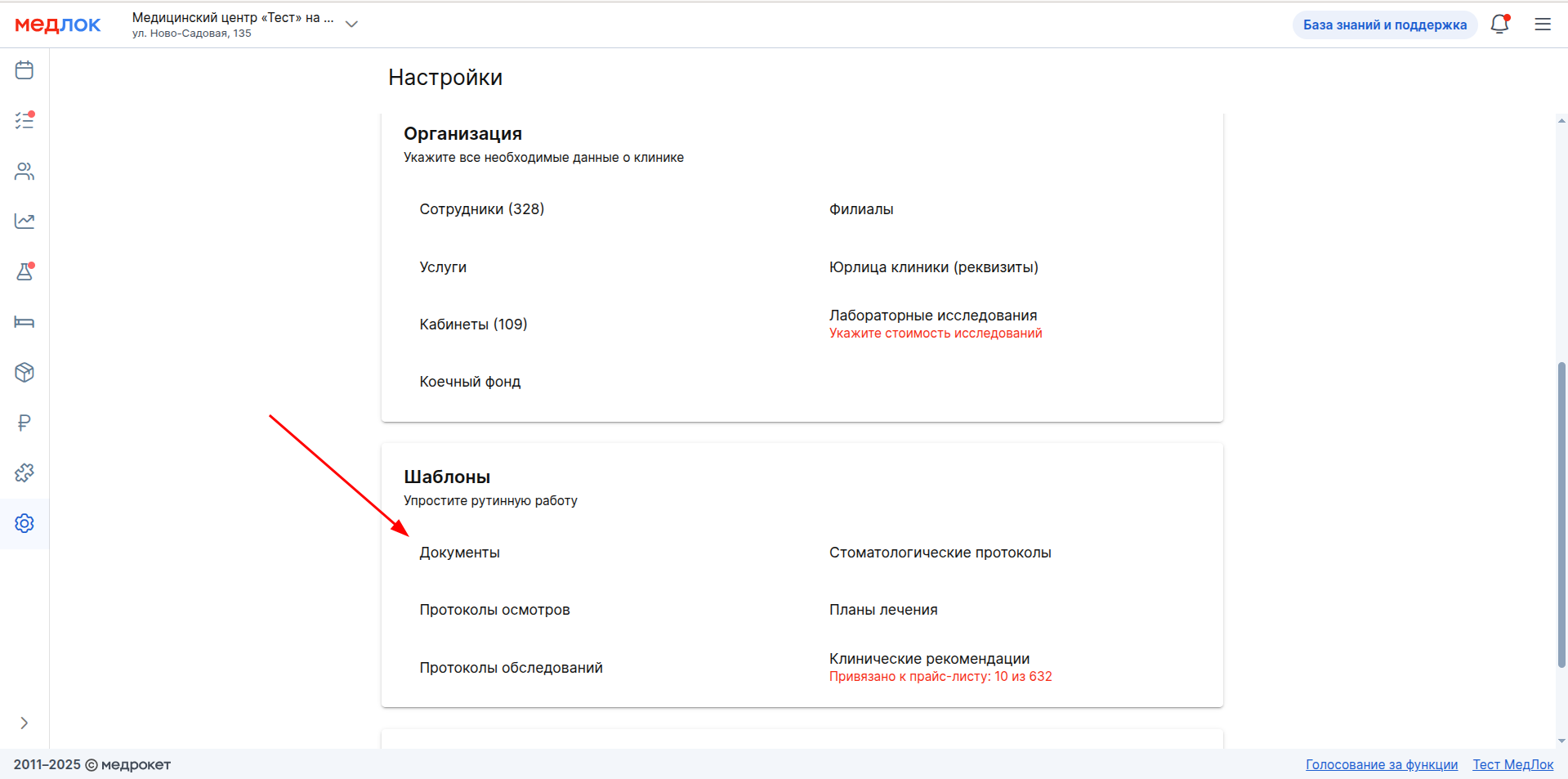
2. Go to the section «Документы».
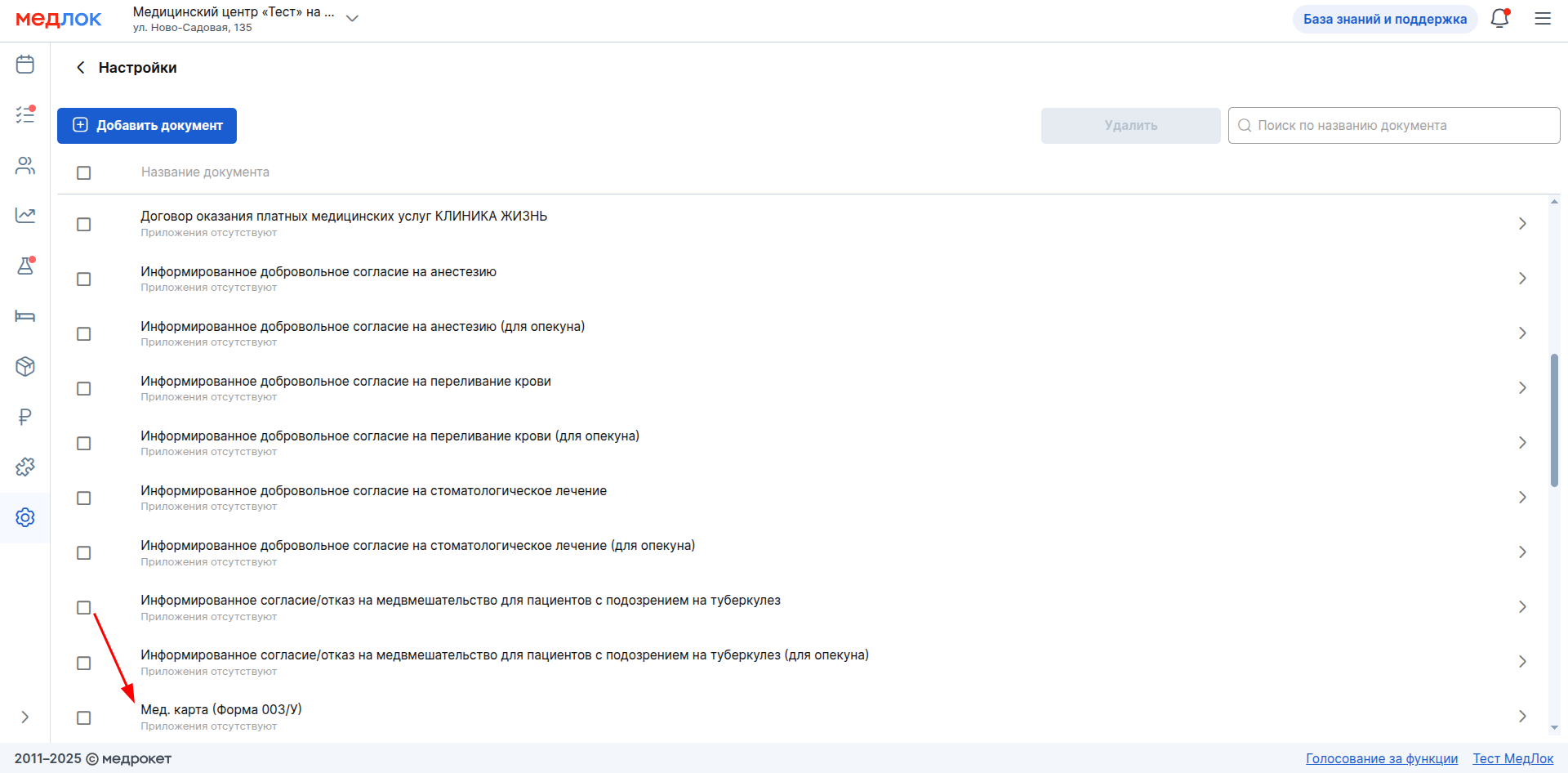
3. Find the new medical card form that you want to print. Click on its name and then click on it again.
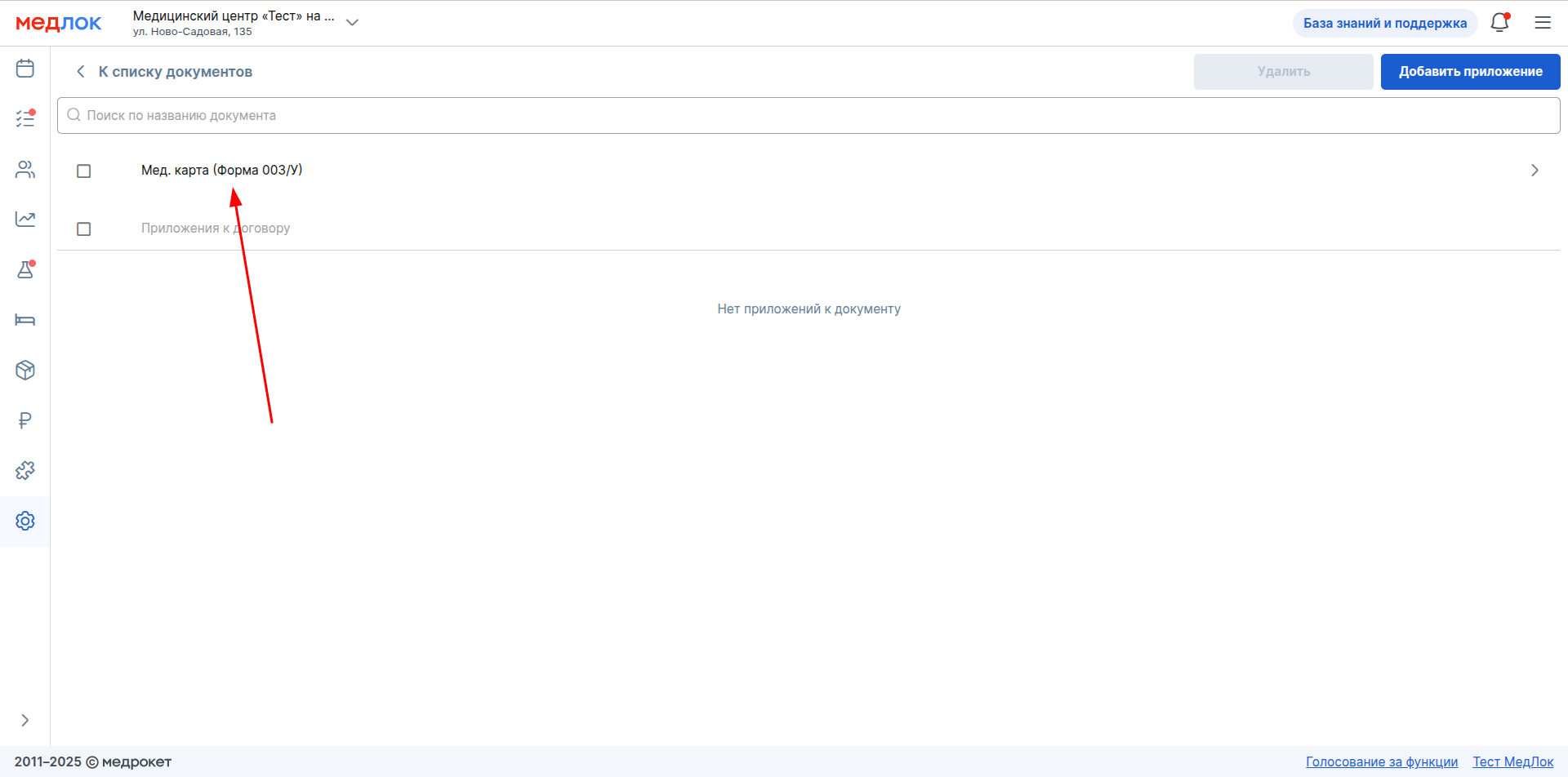
4. Turn «Выводить на печать»it on.
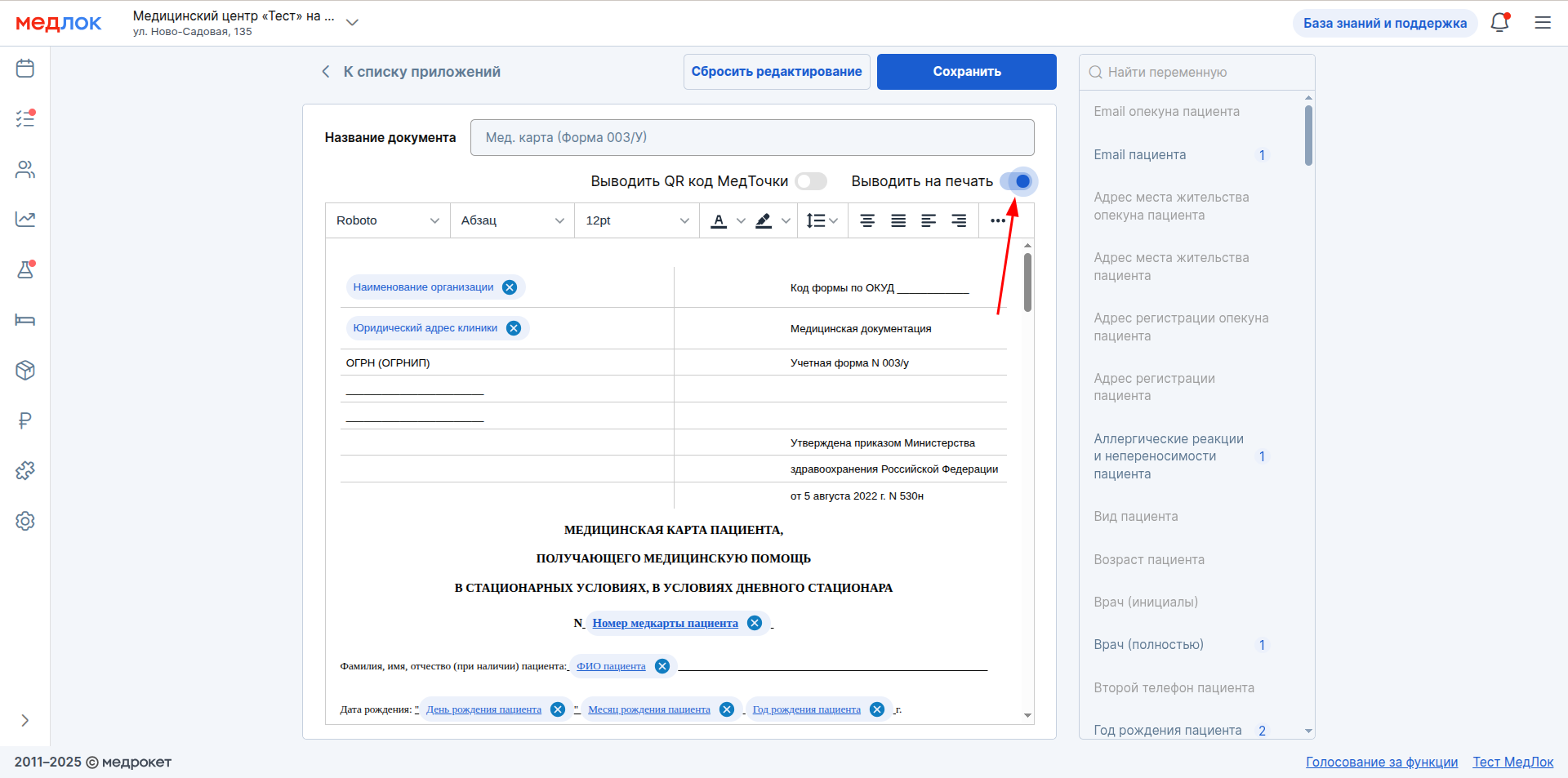
5. The medical card form will be displayed in the drop-down list in the patient profiles and you will be able to create a medical card for them using this form. It will also be displayed in a window «Информация о приёме»in the subsection«Документы».
Read more about working with medical cards in the articles: