


Let's sum up the results of 2025! 
During this time, the Slowlock has grown noticeably and has become more functional: we have released 3 new modules, implemented many updates, added 9 new SAMDS and made work with 6 new laboratories available.
This digest has collected all the key changes of the year so that you don't miss anything and can quickly figure out each innovation.
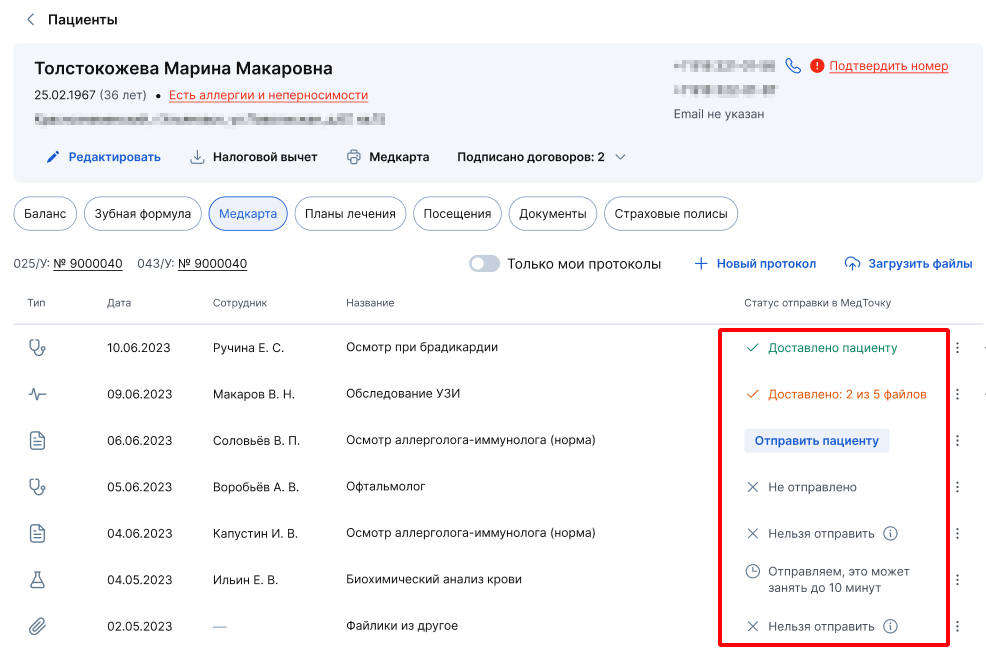
, The ability to send files from the medical record to the patient 's medical room
When uploading documents to a patient's medical record, users can immediately send them to the medical center.
For more information, see the article Sending documents from a medical card to a patient's medical room.

, Updated schedule
The schedule loads much faster and has new features, such as selecting multiple specialties/employees in filters, as well as setting the interval for creating entries.

, Updated the script«Сопровождение до приёма»
You can customize each functionality of the script individually: «Детали записи», «Подтверждение приёма»and «Напоминание о приёме». This will allow you to adapt the newsletters to the needs of your clinic, increase patient loyalty and improve their experience of interacting with you. For more information, see the article Support before the appointment.

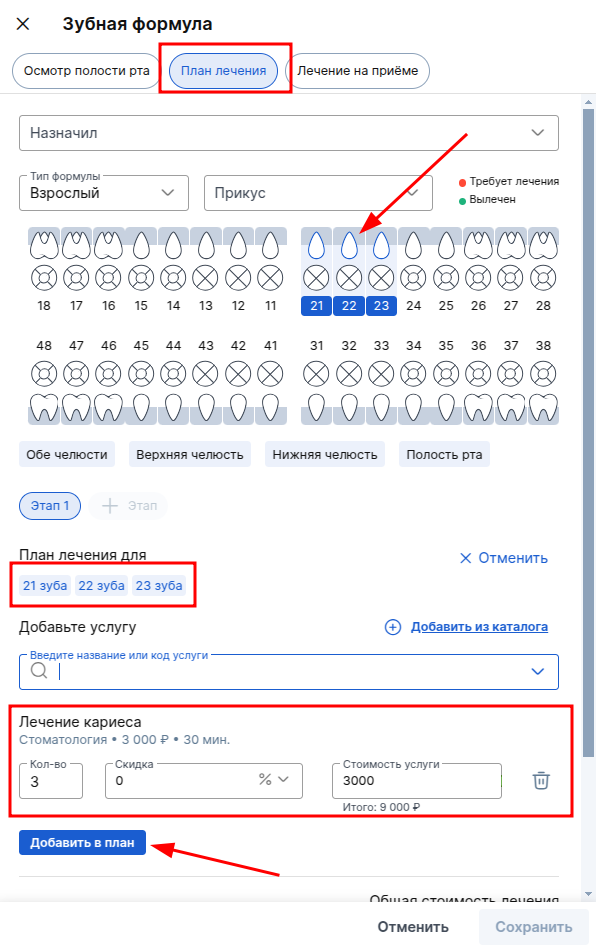
Improved dental formula
Added the ability to add one or more services for multiple teeth. For more information about working with the new dental formula, see the Dentistry article.
📊 We have developed a new module — End - to - end UIS analytics
The module is available for free, but registration with UIS is required for its operation, because MEDLOCK combines clinic data and information from UIS telephony and end-to-end UIS analytics reports in one place, which allows you to build detailed customized advertising reports inside MedLock.
For more information about the module, see the article End-to-End UIS Analytics.
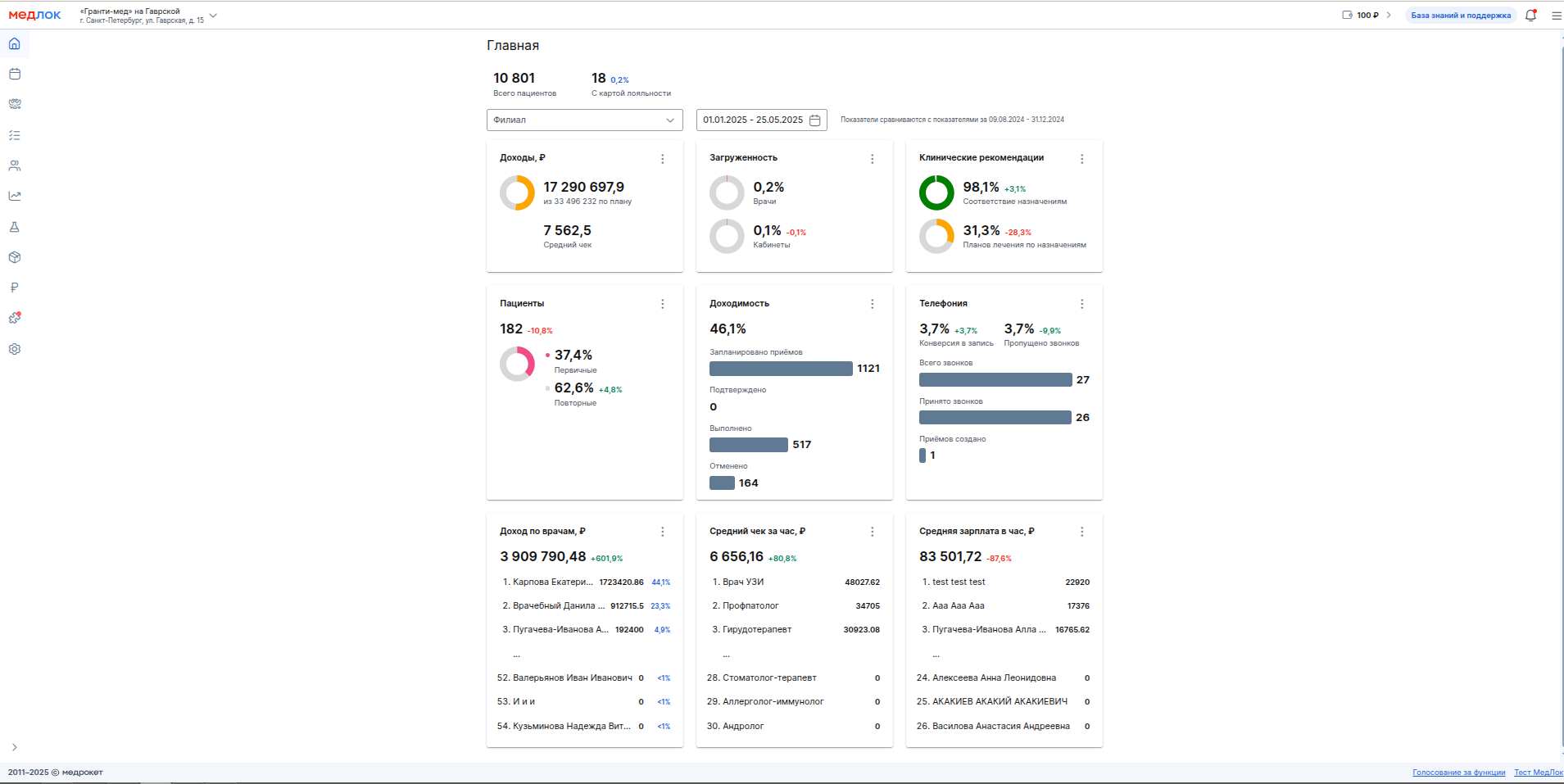
,Added a new section«Главная»
We have compiled diagrams from MedLock reports for easy and fast analysis of important indicators. The section is available only to the head of the clinic, and other employees can access it through the administrator profile (sys_).
For more information, see our article section «Главная».
,Caregivers in MedLock
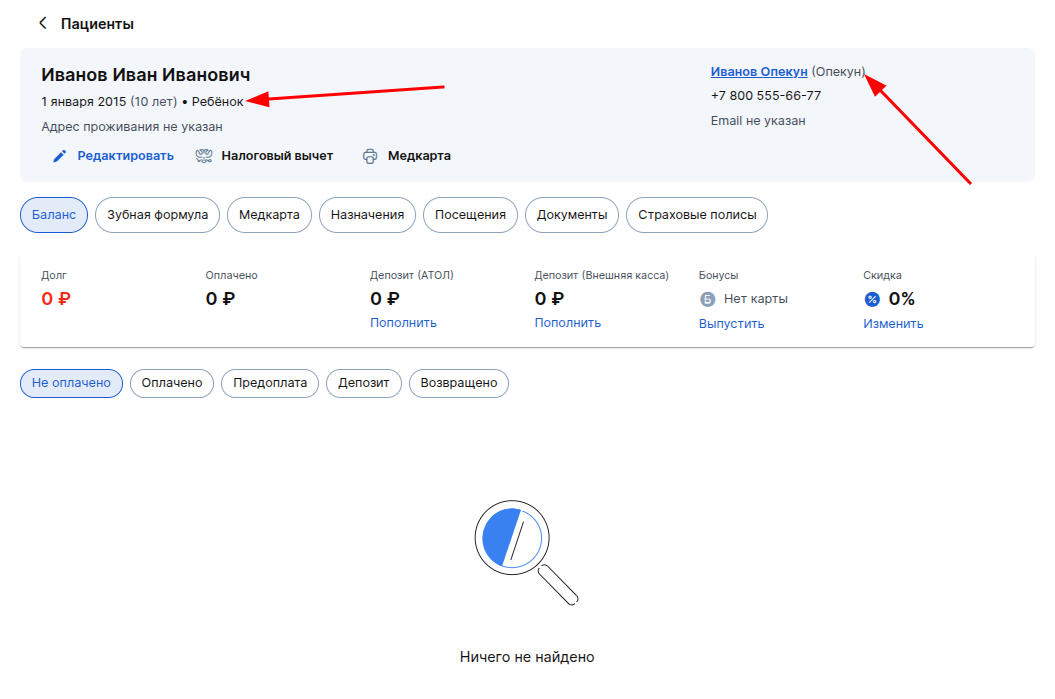
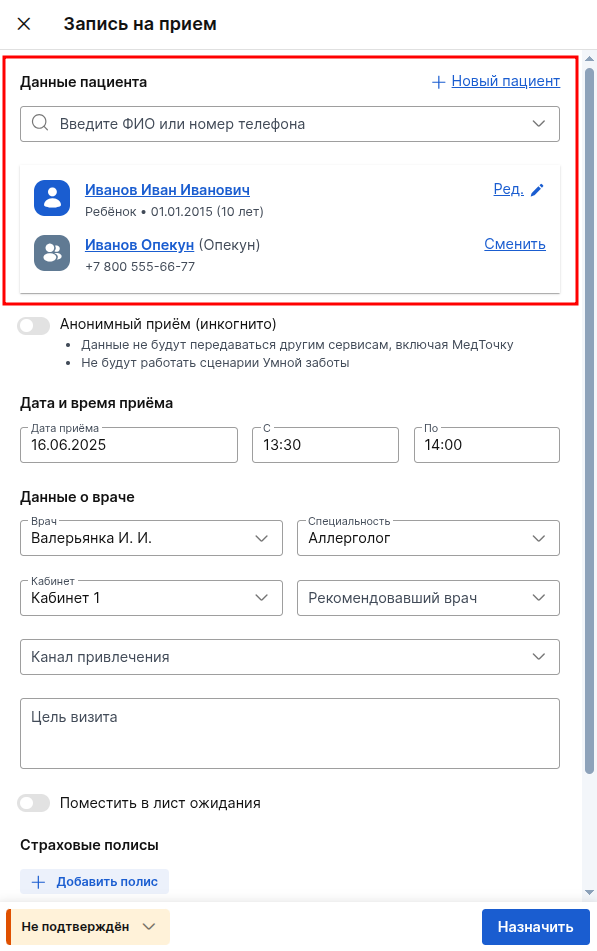
Medlock supports the presence of multiple guardians for a minor/incapacitated patient. In addition, the guardian has also become a full-fledged patient in your database.
Details about the functionality of caregivers can be found in the article Creating a minor patient.
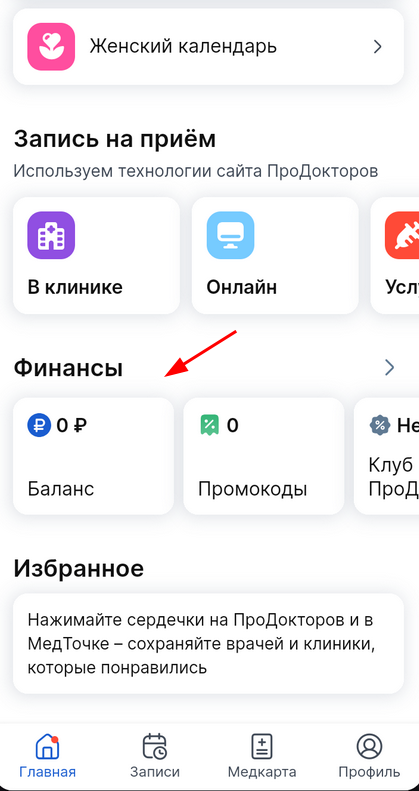
, Transfer of balance data to the section «Финансы»in the patient 's medical card
If a patient has scheduled a visit to a clinic that works with Medlock, then «Финансы»his balance, debts, prepayments and deposits, as well as bonuses and discounts at this clinic will be displayed in his medical card in the section.
For more information, see our articles on the basic features of the MedLock and the Loyalty Program.
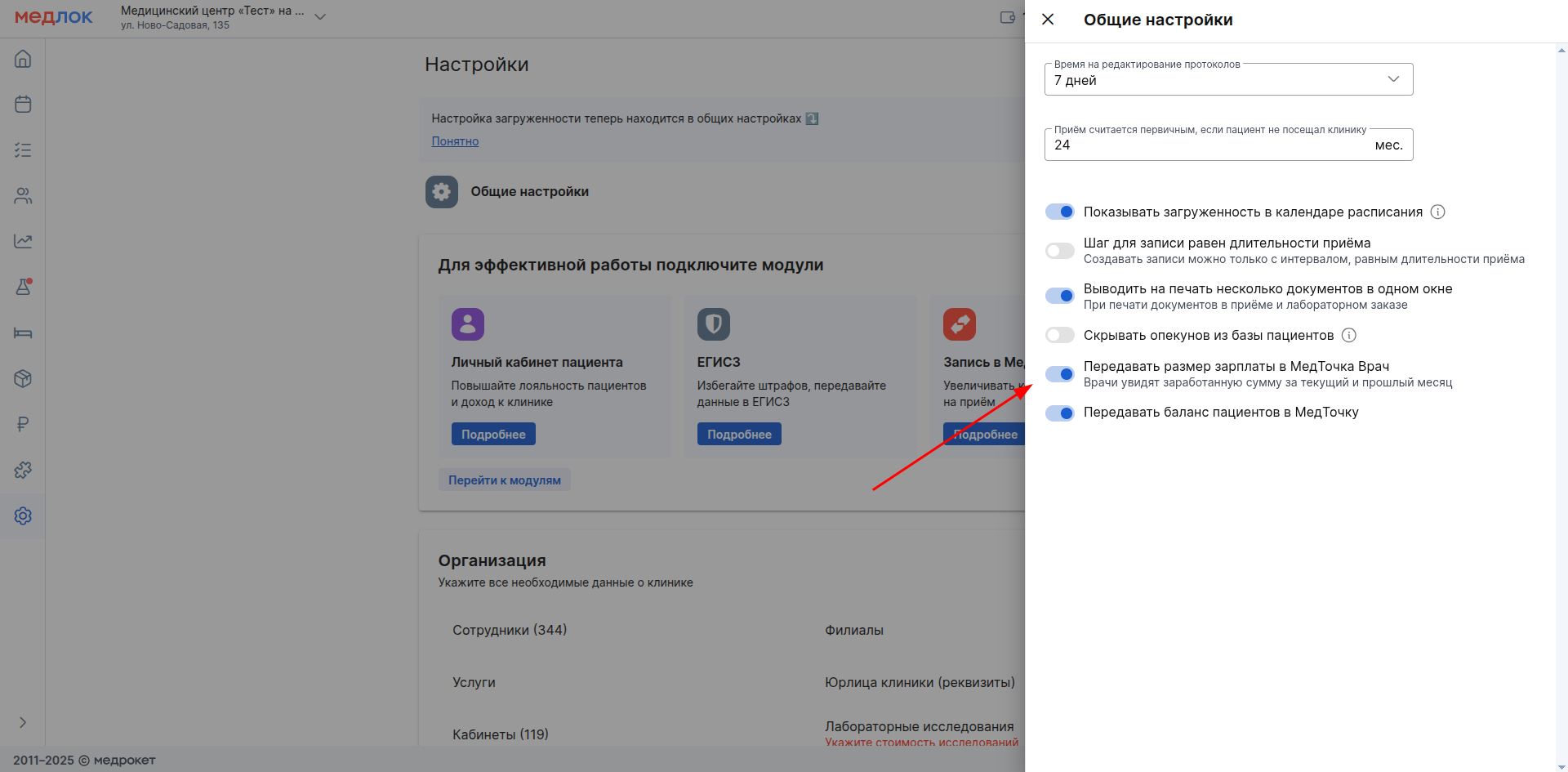
,Transfer of a doctor 's salary from a medical unit to a medical doctor unit
Now doctors can see their salary directly in the personal account of a medical Doctor. Enable the setting in MedLock and the data will be available to your employees.
Read more about this in our article Transfer of salary to a medical Doctor.
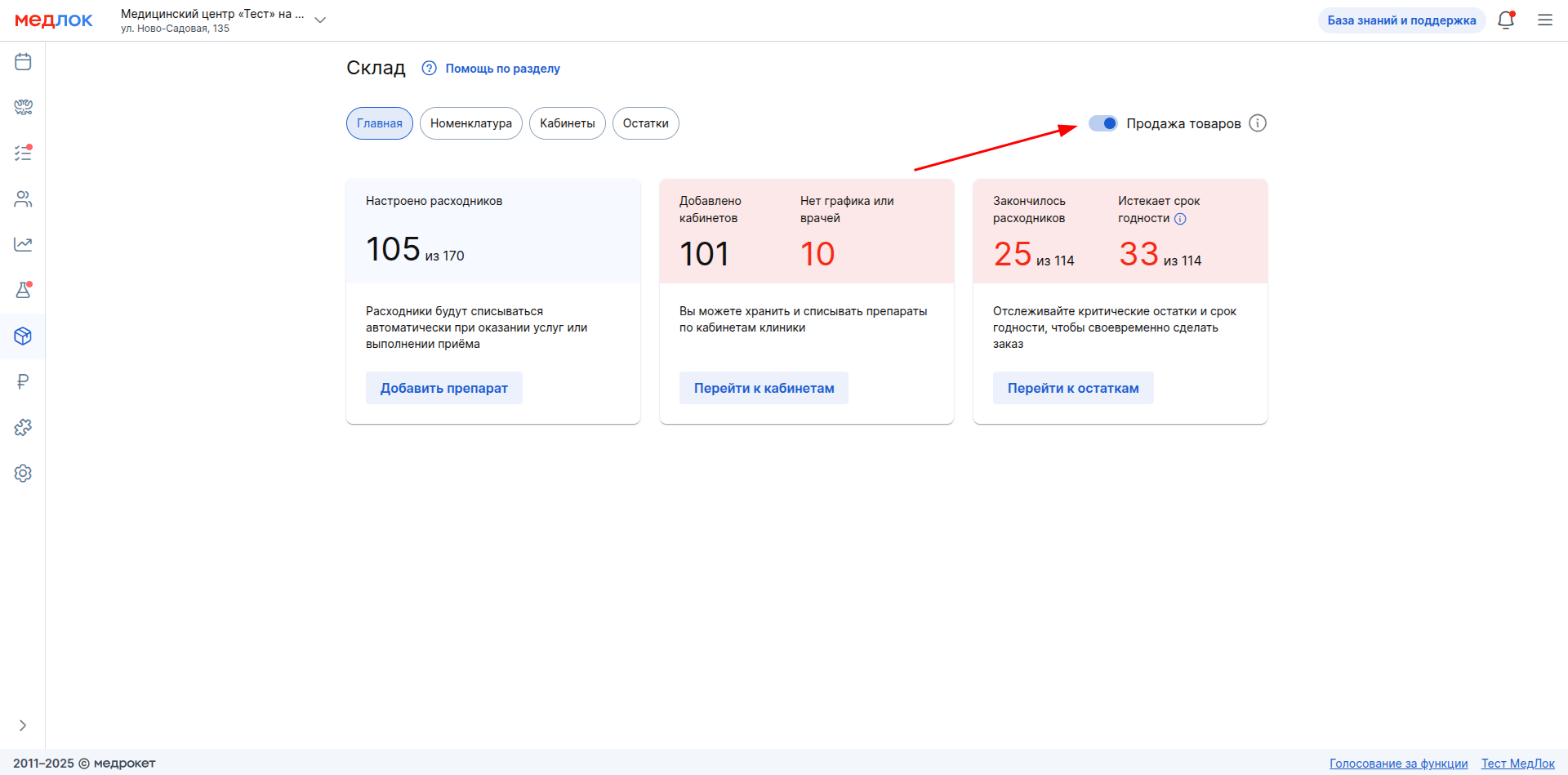
,Sale of goods
The new feature «Продажа товаров»allows you to set up stock items to add them when creating an appointment and sell them as goods.
Read more in the article Selling goods.
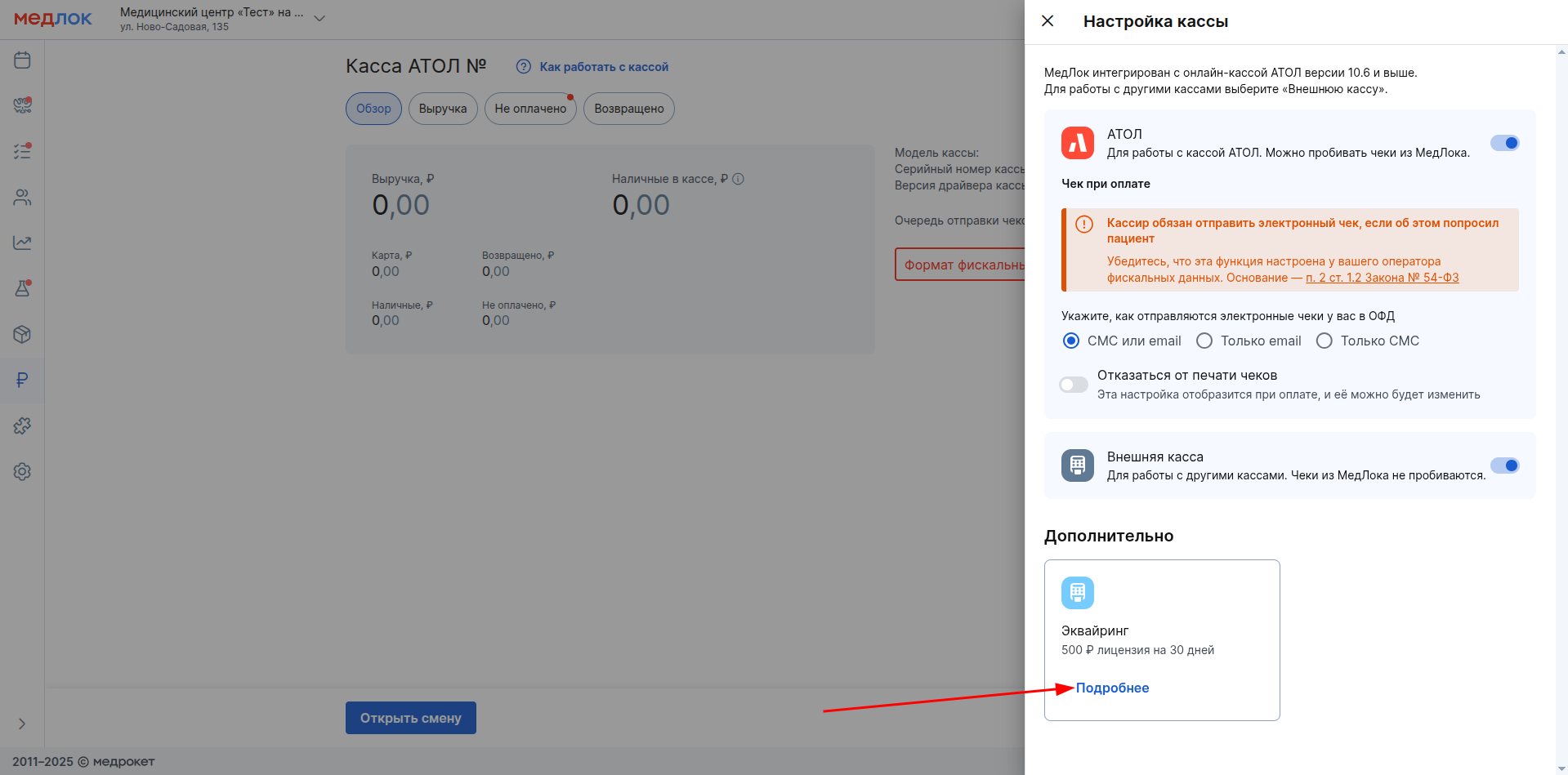
,Acquiring
Acquiring in the yandex.checkout settings makes it possible to use a POS payment terminal in the MedLock.
The functionality will allow you to automatically transfer the payment amount to the acquiring terminal without manually entering the data on the terminal.
Start exploring the functionality in the Terms of Use article«Эквайринга».
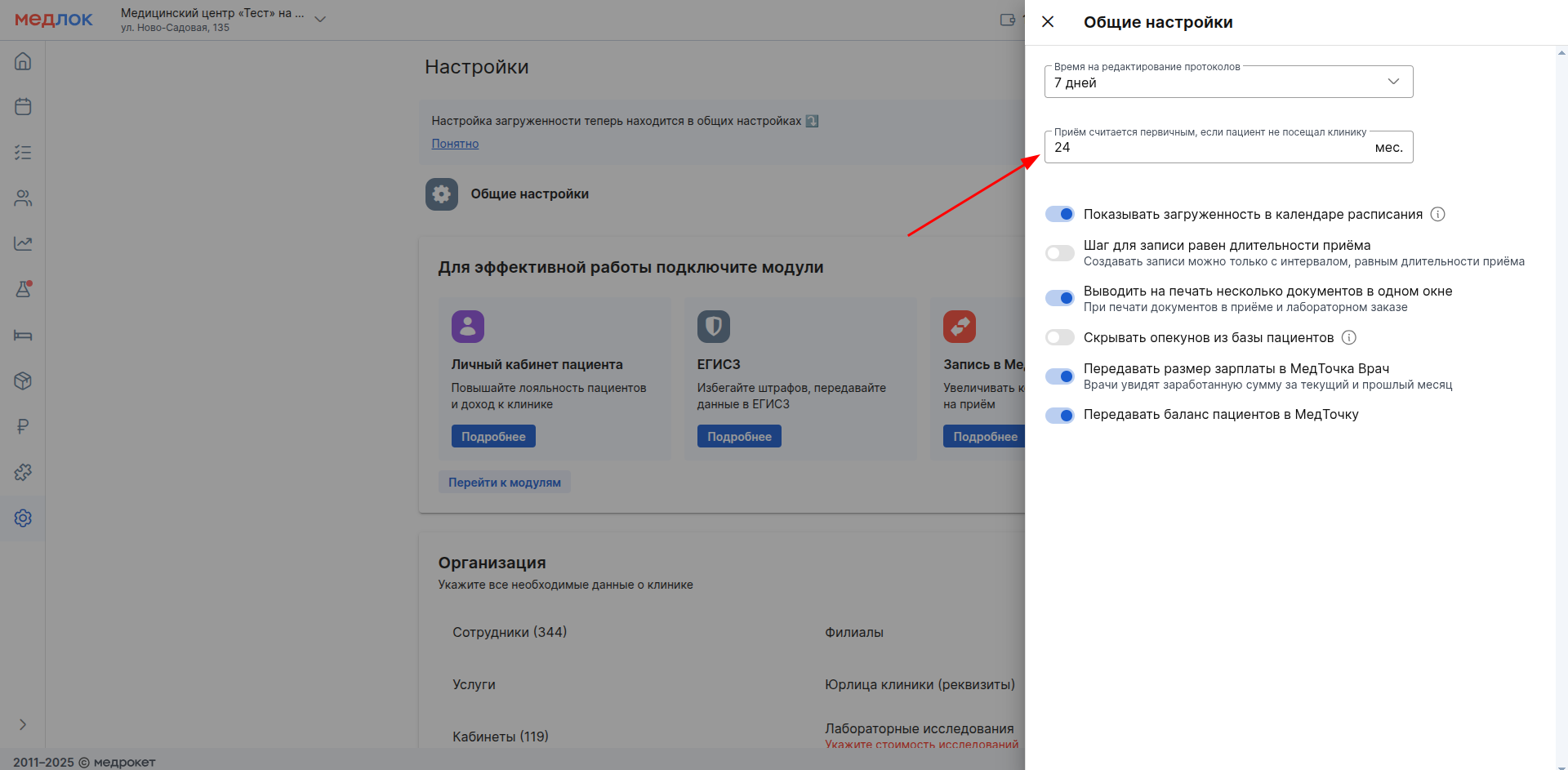
, Setting up patient primacy
Added the ability to select the period required by the clinic, after which the patient is considered primary again. The labels on the schedule entries have also been updated.
For information about the new setting and how the labels are set on the recordings, see the Schedule article.
, Setting up the connection of branches with ProDoctorovand linking multiple branches in the MedLock to one branch onProDoctorov
The MedLock has been updated«Настройка связи филиалов с ПроДокторов»: you can link multiple branches in the MedLock with one branch on ProDoctorov.
For more information about setting up, see the article Linking branches in MedLock with ProDoctorov.

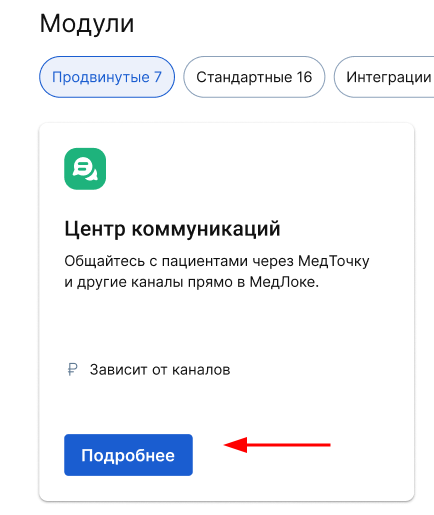
💬 Module «Центр коммуникаций»
It allows you to communicate with patients in a live chat directly from the medical device. Currently, it has only one communication channel — a medical device, WhatsApp is available in pilot mode. Gradually, the list of available channels will be expanded.
Read more about the module in the articles:
, «Умной заботы»Sending messages to the medical center is available for all scenarios
Now«Умная Забота», according to all scenarios, she writes immediately to the chat room with the patient, previously she only sent a push notification to the medical room. A new chat message is supplemented with a push notification so that the patient does not miss it.
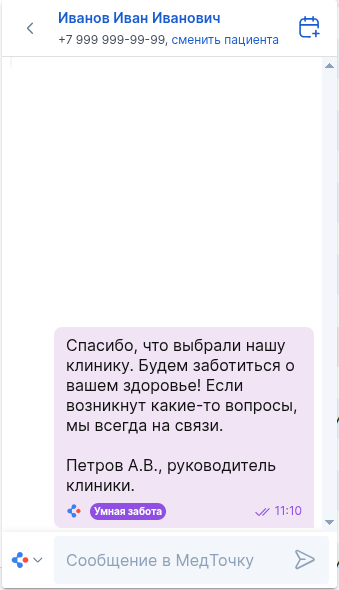
More information about the innovations can be found in the article Smart care in a chat with a nurse.
, New module«Стационар»
A new module is available to you«Стационар», in which you can create a bed fund and record patients for hospitalization separately from outpatient appointments.

Read more about the module in our article Hospital.
, Payment tags
Now you can mark payment transactions with labels (for example, bank or discount labels) and filter sales reports using a special filter.
- Tags are connected and added via the module settings«Касса».
- Tags are configured separately for each type of cash register (ATOL/External sales register).
- Tags can be configured as mandatory for each payment transaction or made optional.
- You can assign multiple labels to each payment.
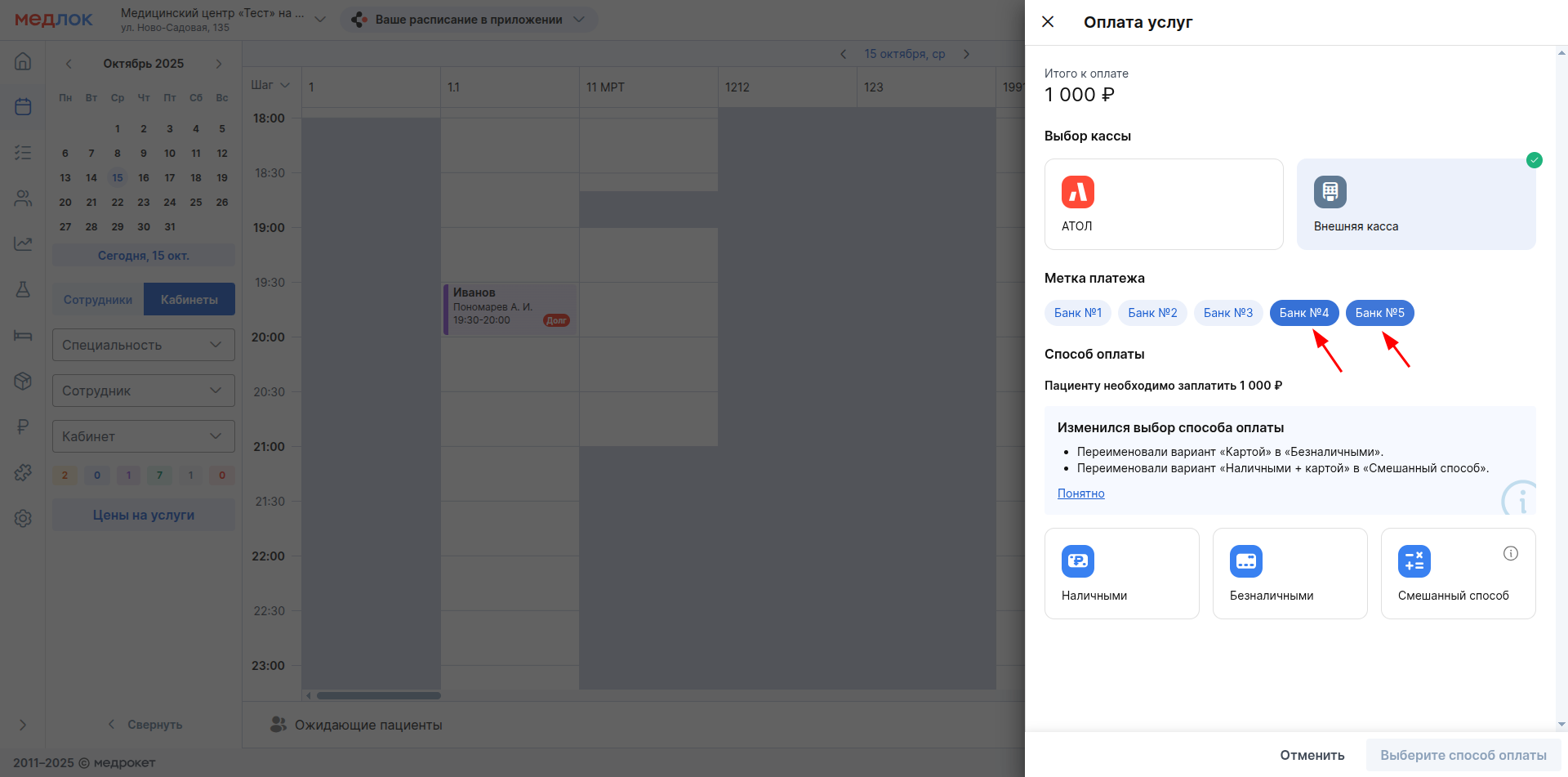
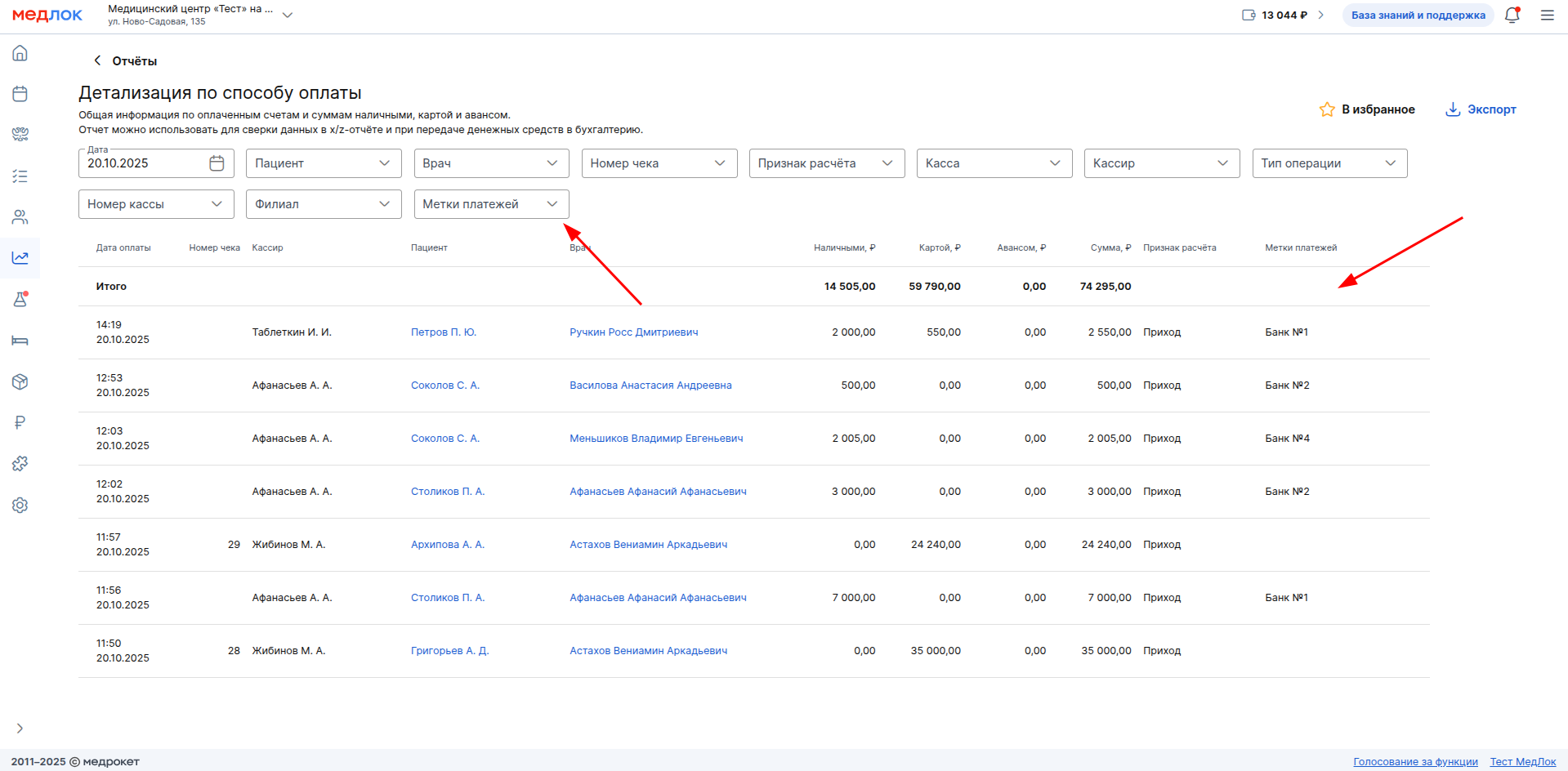
Read more in our article Payment labels.
«Задачи», in MedLock
«Задачи» — this is a board for organizing work. Each task is a card. You can customize the card (for example, assign responsible persons, add a description, and deadlines) and move it through the status columns. The section «Задачи»itself is now called «CRM».
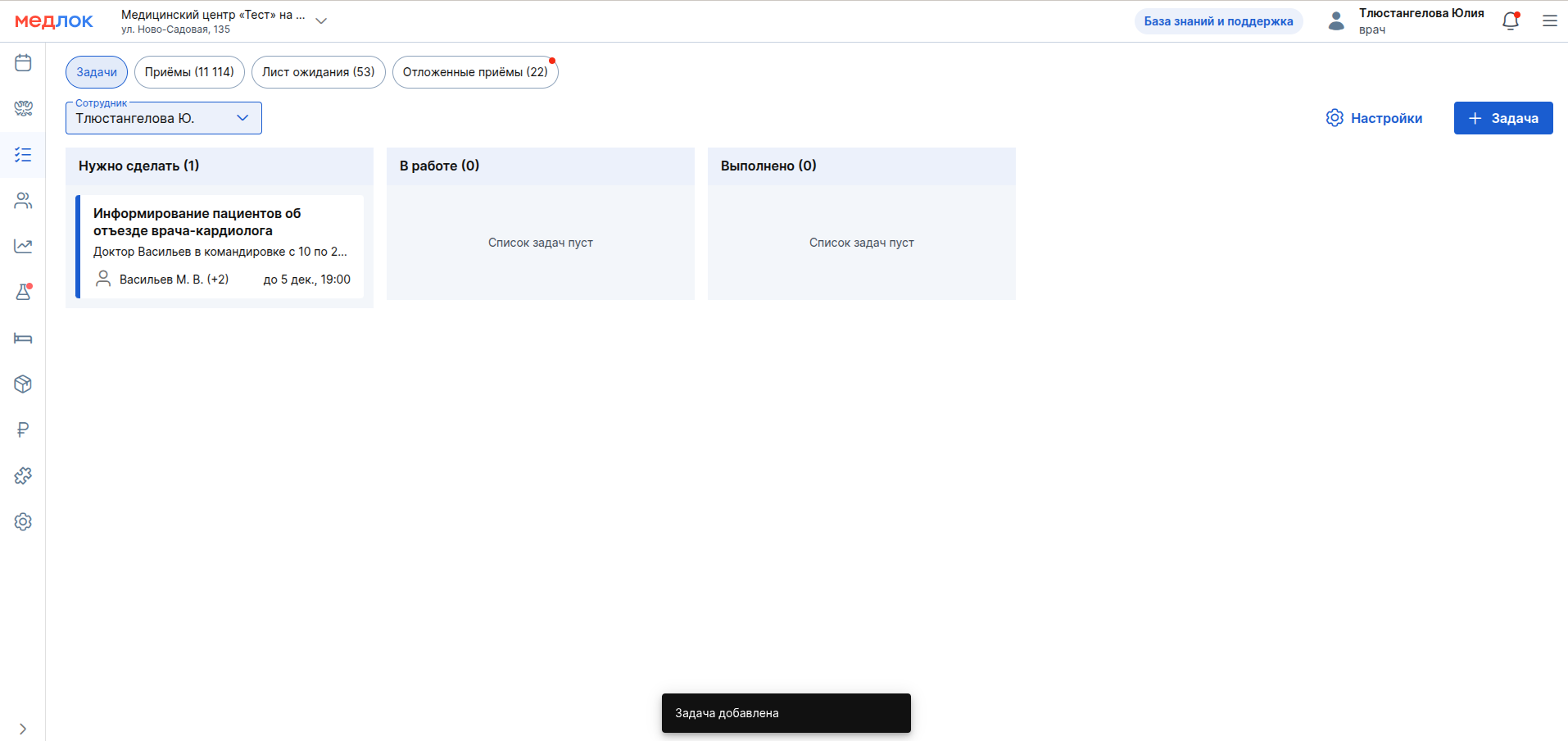
Get acquainted with the new functionality in the Tasks article.
☎️ Refused to manually confirm the patient 's phone number
Manual confirmation of patients' phone numbers is no longer required in MedLock.
The confirmation button has been removed, but the signature stating that the phone number has been confirmed remains.
For more information, see the article Patient's Personal account — a medical clinic.
, Added new SAMDs
New SAMDs are available to you, namely:
- SAMD 217 «Предоперационный эпикриз».
- SAMD 221 «Лист назначений и их выполнение».
- SAMD 163 «Протокол медицинской манипуляции».
- SAMD 164 «Экстренное извещение об инфекционном заболевании, пищевом, остром профессиональном отравлении, необычной реакции на прививку».
- SAMD 191 «Протокол осмотра лечащим врачом».
- SAMD 235 «Эпикриз в стационаре выписной».
- SAMD 115 «Карта вызова скорой медицинской помощи»in form No. 110/y".
- SAMD 188 «Заключение о наличии/отсутствии заболевания, препятствующего поступлению на госслужбу».
Read more about working with SAMDS in the articles in the EGISZ section.
,New labs are available
This year there were:
- CMD
- SMLab
- Hemotest
- EML
- Litech
- DNCOM
Read about working with laboratories in MedLock in the articles in the Laboratories section.